Blog

  • SEO : A Compelte Guide for SEO

    SEO : A Compelte Guide for SEO

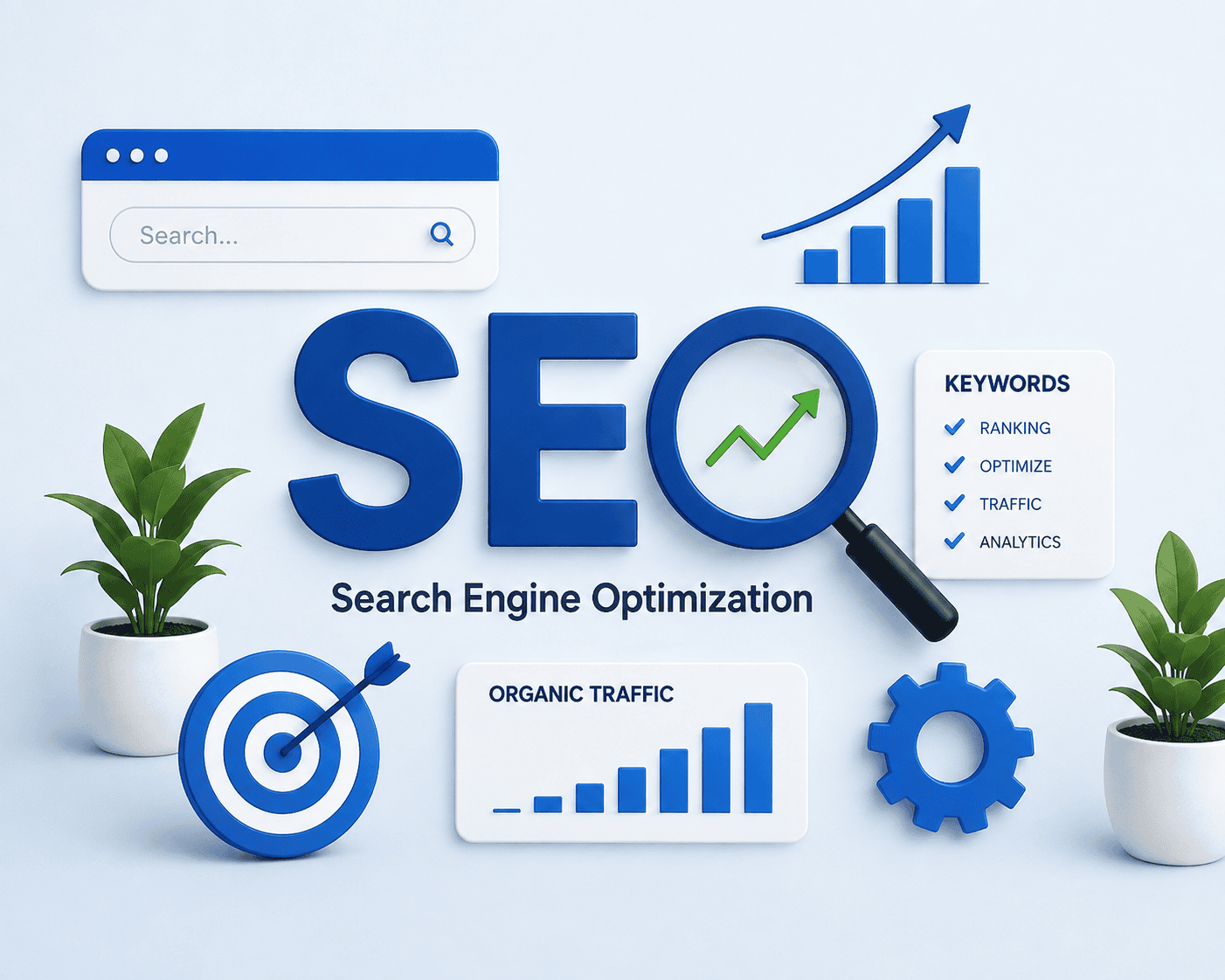
    SEO : A Complete Guide to Search Engine Optimization

    What is SEO?

    SEO stands for Search Engine Optimization.SEO is not simply about adding keywords to a page. A successful SEO strategy involves creating helpful content, improving the website experience, making pages accessible to search engines, and building a clear website structure.

    How Does SEO Work?

    Search engines discover, understand, and organize content from websites. When someone performs a search, search engines try to show the most relevant and useful results.A basic SEO process includes:
    Crawling – Search engines discover pages on websites.
    Indexing – Search engines store and understand information about pages.
    Ranking – Search engines determine which relevant pages to show for a search query.

    Why Is SEO Important?

    SEO can help businesses and websites attract people who are actively searching for information, products, or services.Some major benefits of SEO include:

    Increased visibility: Your website can appear in relevant search results.
    Organic traffic: You can receive visitors without paying for every individual click.
    Brand awareness: Appearing in search results can help more people discover brand.
    Long-term growth: Well-optimized content can continue attracting visitors over time.
    Better user experience: Many SEO improvements also make websites easier and faster to use.


    Types of SEO :

    types of seo : technical seo , offf seo, on page seo

    1. On-Page SEO

    On-Page SEO focuses on optimizing elements that are directly present on your website.

    It includes:Keyword optimization
    Title tags
    Meta descriptions
    Heading tags
    High-quality content
    URL structure
    Internal linking
    Image optimization
    Search intent

    2. Technical SEO

    Technical SEO focuses on improving the technical aspects of a website so that search engines can efficiently crawl, understand, and access its pages.

    3. Off-Page SEO

    Off-Page SEO refers to activities performed outside your website that can help build its reputation, authority, and visibility
    .Examples include:Relevant backlinks
    Digital PR
    Brand mentions
    Guest contributions

    “Learn how
    our Off-Page SEO strategies build authority”

    4. Local SEO

    Local SEO helps businesses become more visible when people search for products or services in a specific geographic area
    .For example, searches such as:Digital marketing agency near me
    Best SEO agency in Chandigarh
    Digital marketing course near me
    To get more in detail visit https://digitora.company/google-my-business-a-guide-to-google-business-profile/

    What Is Keyword Research?

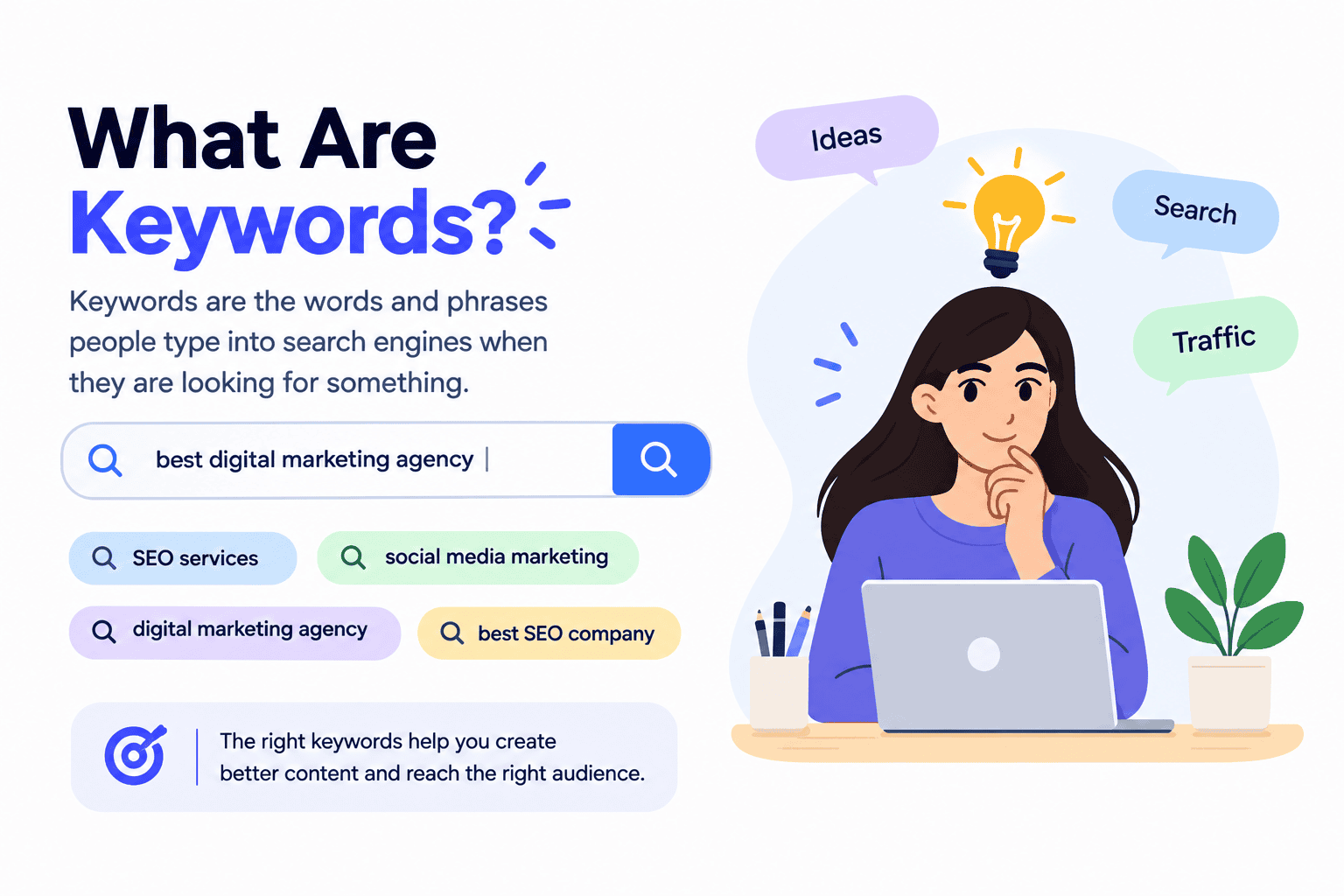
    Keyword research is the process of finding and understanding the words and phrases people use when searching online.

    For example, someone who wants to learn SEO might search for:

    What is SEO?
    SEO for beginners
    How does SEO work?
    SEO basics
    Types of SEO

    Keyword research helps you understand what your audience is searching for and what topics you should create content about.

    Learn more about finding and selecting relevant search terms in our [Keyword Research Guide].

    What Is Search Intent?

    Search intent means the reason behind a search.

    For example, someone searching for “what is SEO” probably wants information.Someone searching for “buy SEO tools” may be looking for a product or service.

    Useful SEO Tools for Beginners:

    Google Search Console: Helps you understand how your website performs in Google Search and identify certain technical issues.
    Google Analytics: Helps you analyze website traffic and user behavior.
    Google Keyword Planner: Can help with keyword research and search advertising planning.
    Bing Webmaster Tools: Provides search performance and website diagnostic information for Bing.

    How to Start SEO as a Beginner

    First understand how search engines work. Then learn keyword research and search intent. After that, practice on-page SEO by optimizing titles, headings, URLs, images, and content.
    Next, learn technical SEO concepts such as crawling, indexing, sitemaps, robots.txt, redirects, and website speed
    .Once you understand these areas, start learning off-page and local SEO.

    Common SEO Mistakes Beginners Should Avoid


    When starting SEO, avoid these common mistakes:

    Keyword stuffing
    Copying content from other websites
    Creating content only for search engines
    Ignoring search intent
    Using irrelevant internal links
    Ignoring technical SEO
    Creating very similar pages without a clear purpose
    Using misleading titles
    Ignoring mobile users
    Focusing only on rankings instead of helping visitors

    Frequently Asked Questions About SEO

    1. What is SEO?
    SEO is the process of improving a website so it can appear more easily in search engine results.

    2. Why is SEO important?
    SEO helps websites increase online visibility, attract relevant visitors, and reach potential customers through organic search.

    3. What are keywords in SEO?
    Keywords are words or phrases that people type into search engines to find information, products, or services.

    4. What is On-Page SEO?
    On-Page SEO involves optimizing webpage elements such as content, headings, titles, URLs, images, and internal links.

    5. What is Technical SEO?
    Technical SEO improves the technical parts of a website, such as speed, crawling, indexing, mobile usability, and site structure.

    6. What is Off-Page SEO?
    Off-Page SEO includes activities outside your website, such as earning relevant backlinks and building your website’s online reputation.

    7. What is Local SEO?
    Local SEO helps businesses appear in search results when people look for products or services in a specific location.
    8. How long does SEO take to show results?

    SEO takes time, and results can vary depending on competition, website quality, content, and the SEO strategy used.

    9. Can I do SEO myself?Yes. Beginners can learn basic SEO and work on tasks such as keyword research, content optimization, and internal linking.

    10. Is SEO a one-time process?
    No. SEO is an ongoing process that requires regular monitoring, updating, and improvement.

  • WHAT ARE BACKLINKS SEO AND HOW BACKLINKS HELP IN AI VISIBILTY?

    WHAT ARE BACKLINKS SEO AND HOW BACKLINKS HELP IN AI VISIBILTY?

    Backlinks are an important part of off-page SEO. They help search engines discover relationships between websites and can bring referral traffic to your website. But not all backlinks are equally useful. Quality, relevance, and how a link is obtained matter.         

    What Are Backlinks :-

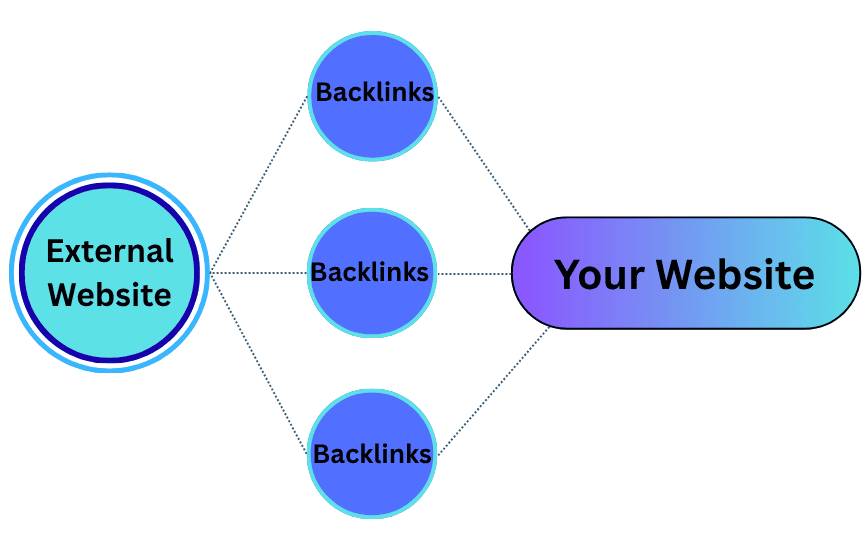
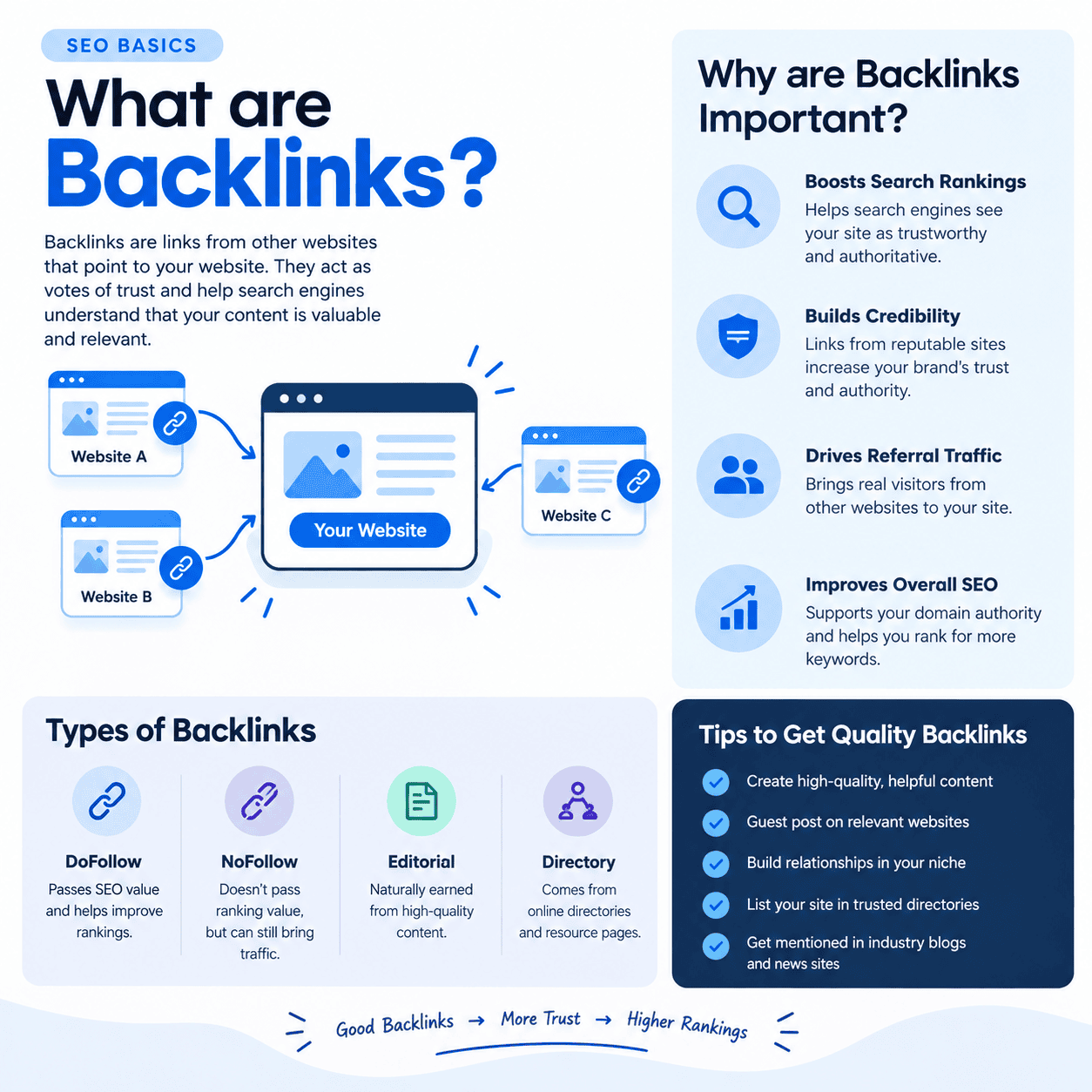
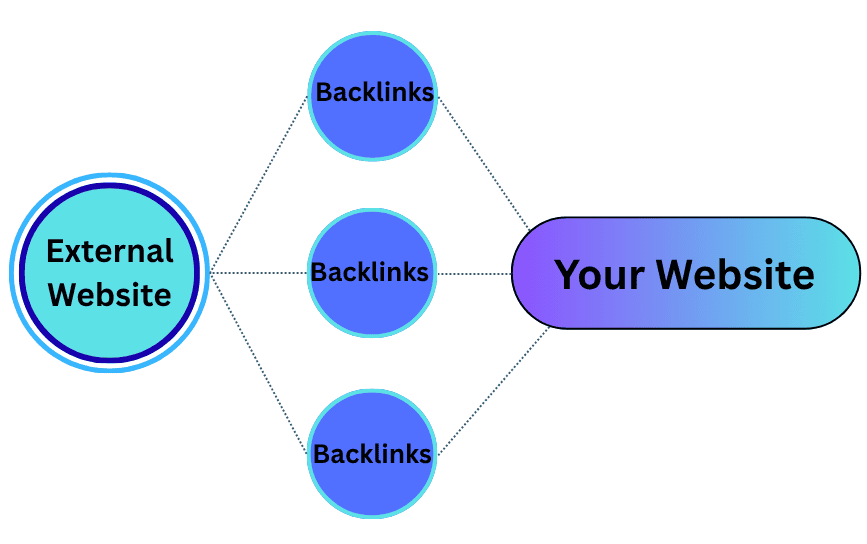
    Backlinks are links from one website to another website. For example, when another website adds a link to your website in its article, you get a backlink. Backlinks are important for SEO because they can help search engines understand that your website is useful and trustworthy. Good backlinks usually come from relevant and reliable websites and can also bring visitors to your website.
     
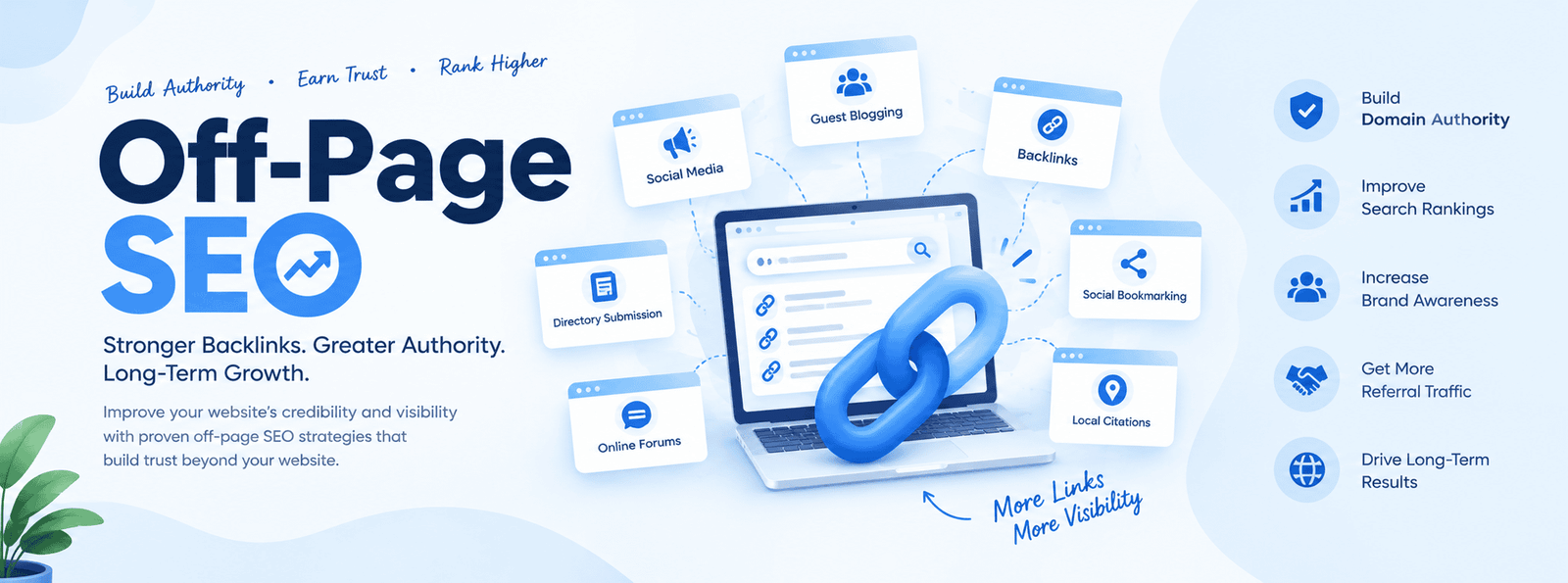
    backlinks set up in off page seo

    Why Are Backlinks Important?

    Backlinks are important in SEO because they can help a website build authority, improve visibility, and attract visitors. When other trustworthy and relevant websites link to your website, it shows that your content is useful or valuable to their audience.

    1. Improve SEO

    Backlinks can be an important signal for search engines when evaluating the relevance and authority of a website. Quality backlinks can support better search visibility.

    2. Build Website Authority

    When reputable websites link to your content, it can strengthen your website’s reputation and authority within your topic or industry.

    3. Increase Website Traffic

    People can click on a backlink and visit your website. This is called referral traffic.

    Example:
    A popular marketing website links to your SEO blog → its readers click the link → they visit your website.

    4. Help Search Engines Discover Pages

    Search engine crawlers can follow links from one page to another. Backlinks can therefore help search engines discover new pages on your website.

    5. Build Online Reputation

    When different relevant websites mention and link to your brand or content, it can help establish your website as a recognized source within your industry.

    6. Support AI Visibility

    Backlinks don’t directly guarantee that an AI system will recommend or cite your website. However, relevant third-party mentions and links can contribute to your website’s overall online presence and authority, which can be useful for broader AI-search visibility.

    Types of Backlinks

    Backlinks can be categorized based on how they are created and how search engines treat them.

    1. Editorial Backlinks

    These are natural links that a website gives because it finds your content useful.

    Example: A marketing blog links to your SEO guide as a useful resource.

    2. Guest Post Backlinks

    You write a useful article for another relevant website and include a natural link to your website.

    3. Business Listing Backlinks

    Links from legitimate business directories or local business listings.

    Example: Your business profile includes your website URL.

    4. Resource Page Backlinks

    Your website is linked from a page that lists useful resources related to a particular topic.

    5. Broken Link Backlinks

    You find a broken link on another website and suggest your relevant page as a replacement.

    6. Social Media Backlinks

    Links to your website from platforms such as Facebook, LinkedIn, Instagram, or YouTube. These can help with traffic and visibility, although not every social link passes traditional SEO ranking signals.

    7. Forum & Community Backlinks

    Links shared in relevant online communities or forums. They should be used naturally and only when they genuinely help the discussion.

    8. Image/Infographic Backlinks

    Other websites link to your website when they use or reference your original image, infographic, chart, or visual resource.

    9. Nofollow Links

    A link with a nofollow attribute tells search engines not to treat the link as a typical ranking signal.

    10. Sponsored Links

    Paid or sponsored links should be appropriately marked, commonly using the sponsored attribute.

    11. UGC Links

    Links created by users, such as links in comments or forum posts, can be marked with the ugc attribute.

    what are backlinks types

    How Backlinks Matter For Search engine

    Backlinks are important because they connect your website with other websites and help search engines and AI systems understand your website’s relevance, credibility, and presence on the web.

    1. Help Search Engines Discover Your Website

    Search engines like Google use links to discover and crawl webpages.

    Example:
    Another website links to your blog → Google follows that link → Google can discover your page.

    2. Build Website Authority

    When relevant and trustworthy websites link to your content, it can act as a signal that your website has useful information.

    Example:
    An established marketing website links to your SEO guide → your website gains a stronger connection with the marketing topic.

    3. Support Search Rankings

    Backlinks are one of the many signals search engines can consider when ranking pages.

    However, not all backlinks have the same value. Relevant, natural, high-quality links are generally more useful than spammy or unrelated links.

    4. Bring Referral Traffic

    People can click on backlinks and visit your website.

    Example:

    Marketing Blog
    ↓
    Link to your SEO article
    ↓
    Reader clicks the link
    ↓
    Visitor comes to your website

    5. Strengthen Topical Relevance

    When websites related to your industry link to your content, it can help establish your website’s connection to a particular topic.

    For example:

    Your website: Digital Marketing
    ↓
    SEO website links to you
    ↓
    Content marketing website links to you
    ↓
    Business website references your research
    ↓
    Your website develops a stronger presence around digital marketing topics.

    How Backlinks Matter For Ai Visibility

    AI visibility means your website, brand, or content can be discovered, mentioned, or cited in AI-generated answers.

    Backlinks don’t directly guarantee AI visibility, but they can contribute to your overall web presence.

    1. Increase Your Online Presence

    If different trustworthy websites mention and link to your website, your brand has more references across the web.

    Example:

    Your website
    → SEO blog mentions you
    → Marketing website references you
    → Business website links to your research

    This creates a broader online presence.

    2. Provide Third-Party References

    AI-powered search systems can use information from different sources when generating answers.

    If your website is referenced by other relevant websites, those third-party references can provide additional context about your brand and expertise.

    3. Help Establish Topic Associations

    Backlinks can help create connections between your website and specific topics.

    For example:

    Your brand → SEO → Digital Marketing → Link Building → GEO

    If relevant websites consistently discuss your brand in these contexts, it can strengthen your association with those topics.

    4. Help Content Get Discovered

    Backlinks can ghgadditional pathways through which web crawlers can discover your content.

    More discoverable content gives search systems more opportunity to find, understand, and potentially use your information.

    5. Build Brand Recognition

    When your brand is mentioned on multiple relevant websites, people and search systems can encounter your brand in different places.

    This is particularly useful for building a strong digital presence, rather than relying only on your own website.

  • GOOGLE MY BUSINESS : A GUIDE TO GOOGLE BUSINESS PROFILE

    GOOGLE MY BUSINESS : A GUIDE TO GOOGLE BUSINESS PROFILE

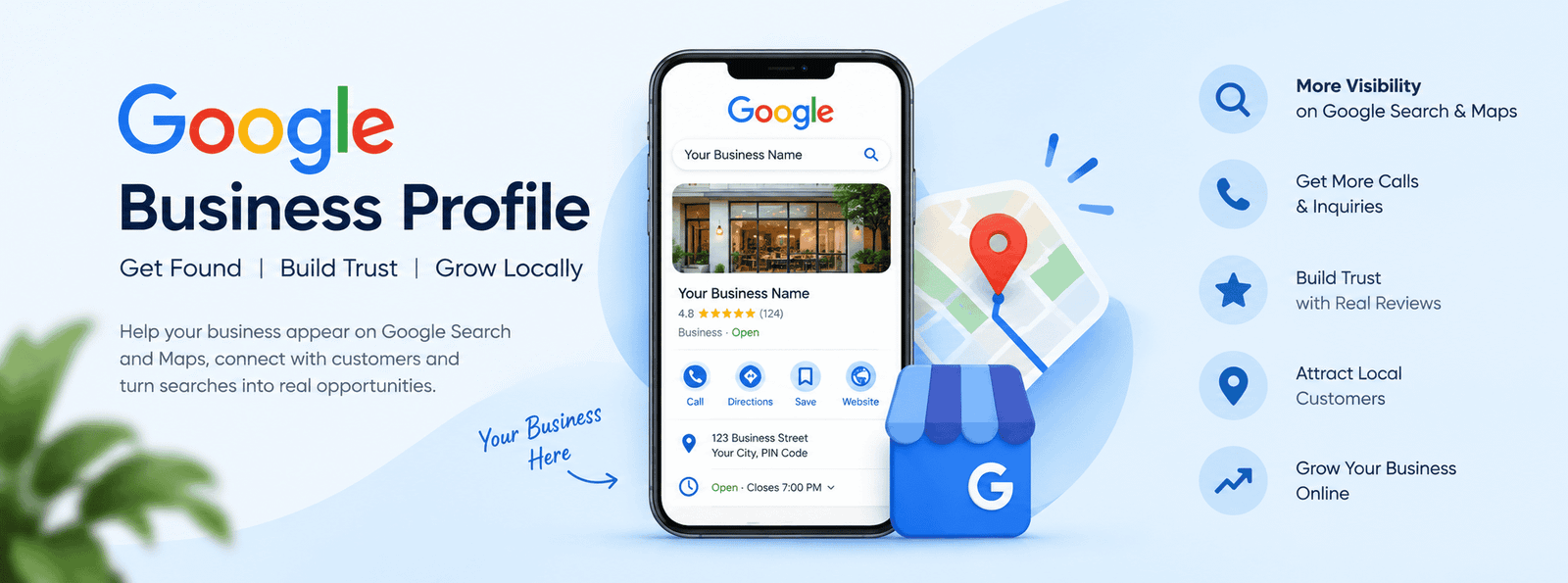
    If you own a local business, getting found online is one of the most important steps toward attracting new customers. One of the best free tools available for local businesses is Google Business Profile (GBP).

    A Google Business Profile helps your business appear on Google Search and Google Maps when people search for products, services, or businesses near them. A well-optimized profile can help customers discover your business, learn about your services, view photos, read reviews, contact you, and even visit your website.

    In this blog, we will understand what Google Business Profile is, why it is important, how to create and optimize it, and how it can support your local SEO strategy.

    What Is Google Business Profile?

    Google Business Profile is a free Google tool that allows businesses to manage how their business information appears on Google Search and Google Maps.

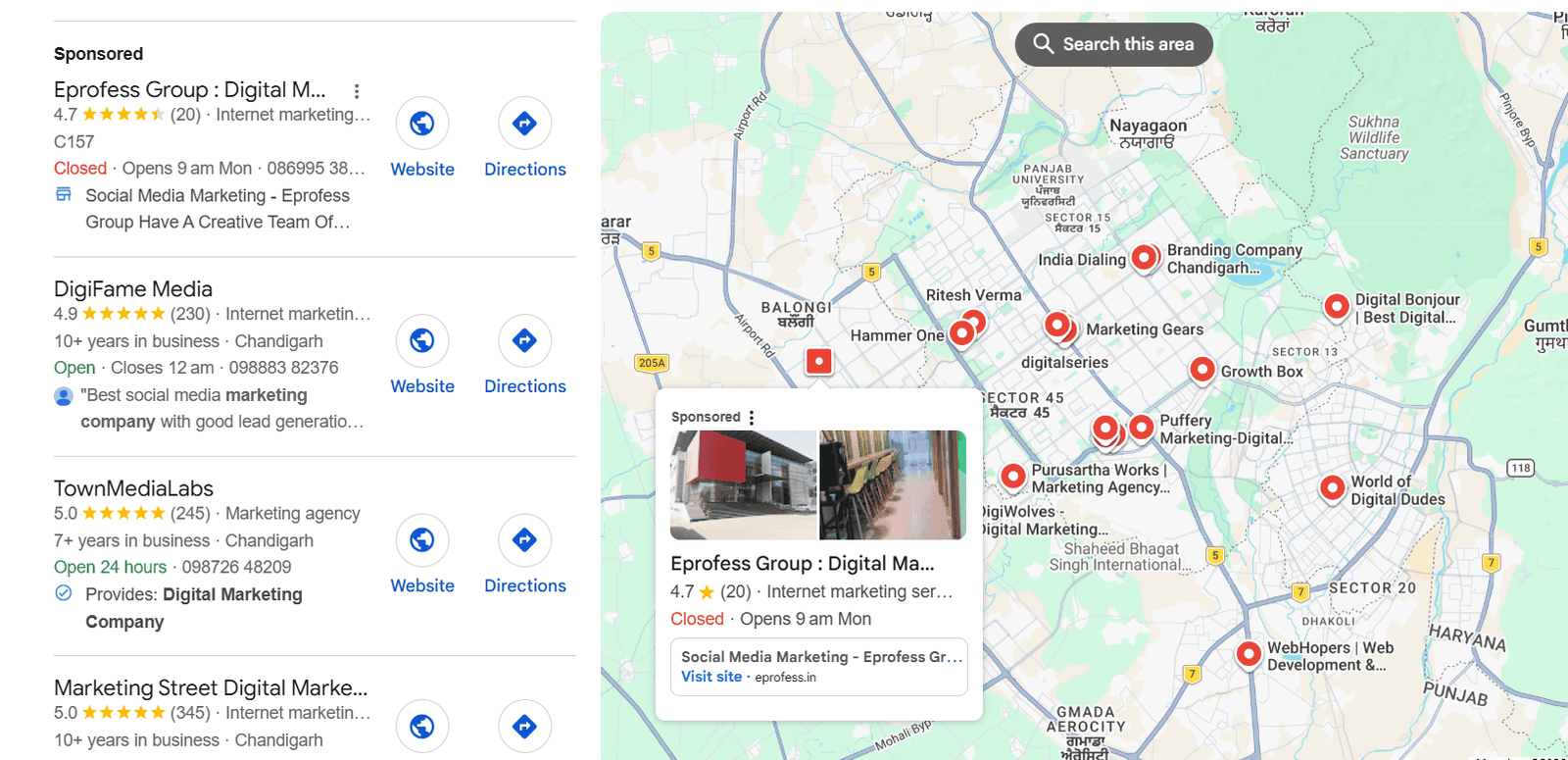
    For example, if someone searches for “digital marketing agency near me”, Google may show a list of relevant local businesses. These results can include business names, locations, reviews, phone numbers, websites, opening hours, photos, and other information.

    Your Google Business Profile gives you control over important information about your business so potential customers can easily understand what you offer.

    This shows the Google Business Profile in Chandigarh of digital marketing

    Why Is Google Business Profile Important?

    Google Business Profile is important because many customers search online before visiting or contacting a local business.

    A properly optimized profile can help you:

    • Increase local visibility

    • Appear on Google Maps

    • Get more calls and inquiries

    • Drive traffic to your website

    • Build trust through customer reviews

    • Show your products and services

    • Share business updates and offers

    • Help customers find your location

    • Improve your local SEO presence

    For local businesses, having a Google Business Profile is an important part of an overall digital marketing strategy.

    How Does Google Business Profile Work?

    When someone searches for a local business or service, Google uses different signals to determine which businesses are relevant to the search.

    For example, a person might search:

    “SEO agency in Chandigarh”

    Google may consider businesses that are relevant to SEO services and are located in or serve the Chandigarh area.

    The business information shown can include:

    • Business name

    • Primary category

    • Address

    • Phone number

    • Website

    • Business hours

    • Reviews

    • Photos

    • Services

    • Posts or updates

    This information helps users decide which business they want to contact or visit.

    How to Create a Google Business Profile

    Creating a Google Business Profile is relatively simple.

    Step 1: Sign in to Google

    Sign in using the Google account you want to use to manage your business profile.

    Step 2: Add Your Business

    Enter your business name and select the appropriate business category.

    Your business name should represent your actual business name rather than being filled with unnecessary keywords.

    Step 3: Add Your Business Location

    If customers visit your physical location, provide the correct business address.

    If you provide services to customers without receiving them at your location, you may be able to set up a service-area business instead.

    Step 4: Add Contact Information

    Add your:

    • Phone number

    • Website

    • Business hours

    Make sure this information is accurate and consistent.

    Step 5: Verify Your Business

    Google may require you to verify your business before your profile can fully appear and be managed.

    The verification method can vary depending on Google’s eligibility and verification process.

    Important Information to Add to Your Profile

    After creating your profile, complete as much relevant information as possible.

    1. Business Name

    Use your real business name consistently.

    Avoid adding extra keywords to your business name simply to try to rank higher.

    2. Business Category

    Choose the most relevant primary category for your business.

    You can also add relevant secondary categories where appropriate.

    For example, a business primarily providing digital marketing services might choose a category related to its main service and add other relevant categories if available.

    3. Business Description

    Your business description should clearly explain:

    • What your business does

    • Which products or services you provide

    • Who you serve

    • What makes your business useful or different

    Use natural language rather than repeatedly inserting keywords.

    4. Business Hours

    Keep your opening hours accurate and update them when your schedule changes.

    You should also pay attention to special or holiday hours when applicable.

    5. Website and Phone Number

    Add your official website and a phone number that customers can actually use to contact your business.

    Add Your Products and Services

    Google Business Profile allows eligible businesses to showcase products and services.

    This can help potential customers understand what you offer before they contact you.

    For example, a digital marketing agency might list services such as:

    • SEO

    • Google Ads

    • Social Media Marketing

    • Content Marketing

    • Local SEO

    • Website Optimization

    Write clear descriptions and avoid keyword stuffing.

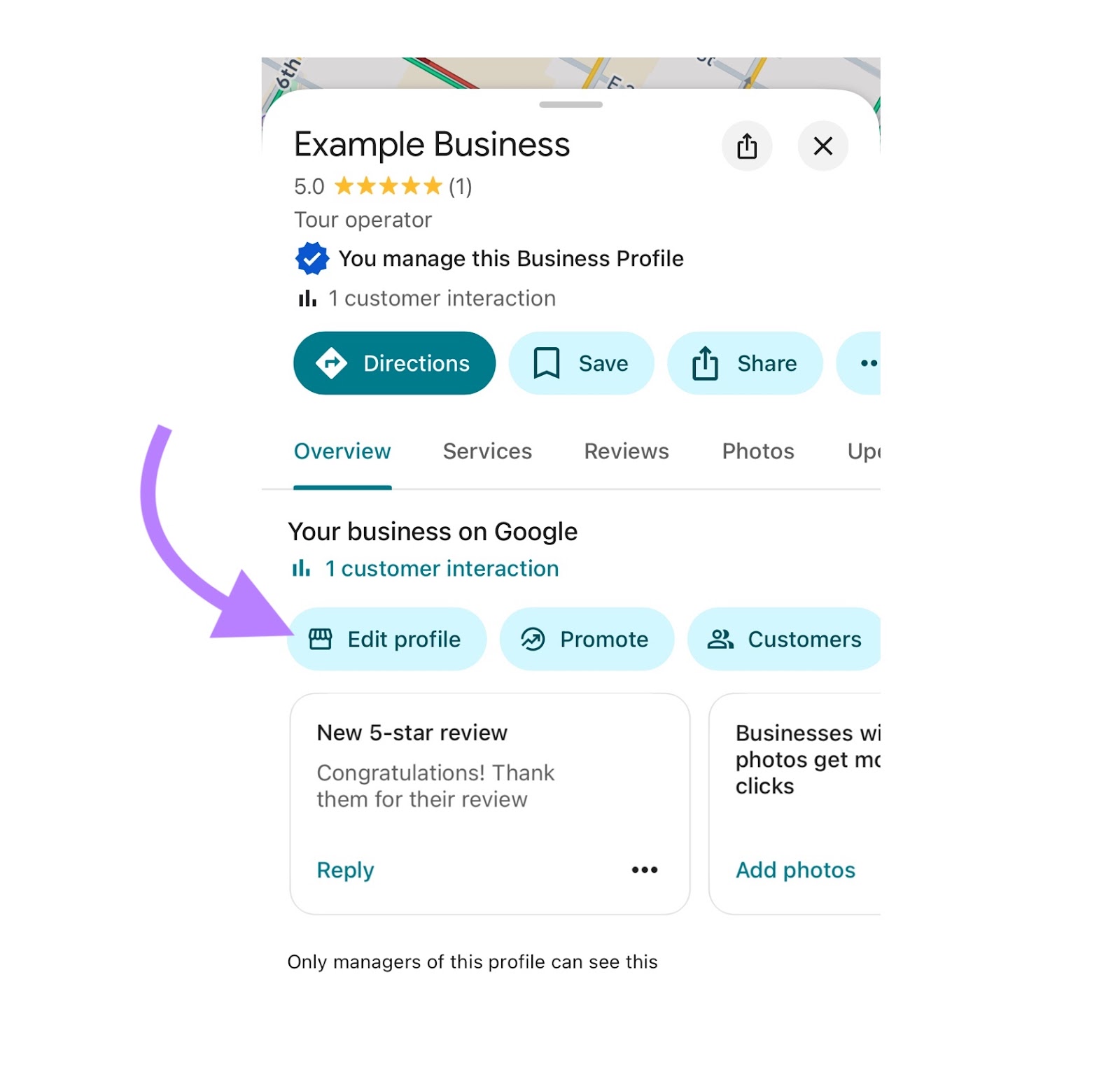
    Google Business Profile optimisation

    Why Are Google Reviews Important?

    Reviews are an important part of a local business’s online presence.

    Positive reviews can help potential customers understand the experiences of previous customers and can make your business appear more trustworthy.

    However, businesses should focus on receiving genuine reviews rather than trying to manipulate their review profile.

    After providing a service, you can politely encourage satisfied customers to leave honest feedback.

    How to Respond to Reviews

    Don’t ignore your reviews.

    Try to respond professionally to both positive and negative feedback.

    For positive reviews, thank the customer for taking the time to share their experience.

    For negative reviews, remain professional and try to address the customer’s concern without becoming argumentative.

    Add High-Quality Photos

    Photos can make your Google Business Profile more attractive and informative.

    Depending on your business, you can add:

    • Business exterior photos

    • Interior photos

    • Product photos

    • Service-related photos

    • Team photos

    • Work examples

    • Logo

    • Cover image

    Use clear, genuine images that accurately represent your business.

    Avoid uploading misleading images simply to attract clicks.

    Review by customers on products and services

    Google Business Profile and Local SEO

    Google Business Profile is closely connected with local SEO.

    Local SEO focuses on improving a business’s visibility when people search for products or services in a specific geographic area.

    For example:

    “Best salon in Chandigarh”

    “Digital marketing agency near me”

    “Dentist in Ambala”

    An optimized Google Business Profile can help Google better understand your business and its relevance to local searches.

    However, having a profile does not guarantee that your business will appear at the top of local results. Local rankings depend on multiple factors, including relevance, distance, and prominence.

    How to Optimize Your Google Business Profile

    Here are some practical optimization tips:

    1. Keep Information Accurate

    Make sure your business name, address, phone number, website, and hours are correct.

    2. Choose the Right Category

    Your primary category should accurately represent your main business.

    3. Complete Your Profile

    Fill in relevant sections instead of leaving important information blank.

    4. Add Quality Photos

    Regularly add useful, authentic images related to your business.

    5. Collect Genuine Reviews

    Encourage real customers to leave honest reviews.

    6. Respond to Customers

    Respond professionally to reviews and customer questions where appropriate.

    7. Keep Your Profile Updated

    Update your services, hours, photos, and other information when something changes.

    8. Use Local SEO Alongside GBP

    Google Business Profile should be part of a broader local SEO strategy that can include your website, local citations, relevant content, backlinks, and consistent business information.

    Common Google Business Profile Mistakes

    Many businesses create a profile but fail to maintain it properly.

    Some common mistakes include:

    • Using an incorrect business category

    • Adding inaccurate business information

    • Keyword stuffing the business name

    • Using low-quality or misleading photos

    • Ignoring customer reviews

    • Buying fake reviews

    • Leaving important profile sections incomplete

    • Not updating business hours

    • Creating duplicate profiles

    • Providing inconsistent business information across websites

    Avoiding these mistakes can help you maintain a more trustworthy and useful online presence.

    Google Business Profile vs Google Maps

    Google Business Profile and Google Maps are closely connected, but they are not exactly the same thing.

    Google Business Profile is the business listing that you manage through Google’s business tools.

    Google Maps is Google’s mapping service where customers can discover locations and businesses.

    When you create and manage an eligible Google Business Profile, your business information can appear across Google Search and Google Maps.

    How Google Business Profile Helps Customers

    From a customer’s perspective, a good business profile makes the decision-making process easier.

    A customer can quickly:

    • Find your business

    • Check your location

    • See opening hours

    • Call your business

    • Visit your website

    • Read reviews

    • View photos

    • Explore products or services

    • Get directions

    This means your Google Business Profile can work like a mini online storefront for your local business.

    Final Thoughts

    Google Business Profile is one of the most useful free tools for businesses that want to improve their local online presence. It allows businesses to provide important information to potential customers directly through Google Search and Google Maps.

    However, simply creating a profile is not enough. Businesses should keep their information accurate, choose relevant categories, add useful photos and services, collect genuine reviews, respond to customers, and regularly maintain their profile.

    When combined with a strong local SEO and digital marketing strategy, Google Business Profile can help your business become easier to discover and give potential customers more confidence before they contact or visit you.

    If you run a local business, optimising your Google Business Profile should be an important part of your digital marketing strategy.

    optimize google business profile
  • WHAT IS OFF PAGE SEO? A GUIDE TO OFF PAGE SEO FOR ALL

    WHAT IS OFF PAGE SEO? A GUIDE TO OFF PAGE SEO FOR ALL

    What Is Off-Page SEO?

    Off-Page SEO(search engine optimization) means doing activities outside your website to improve its ranking. It helps increase your website’s online reputation and authority. The activities Off-Page SEO offer help search engines understand that your website is trustworthy and useful. The main goal of Off-Page SEO is to increase website visibility and attract more visitors. It is an important part of a successful SEO strategy.

    Why Does Off-Page SEO Matter?

    Off-Page SEO matters because it helps build trust and authority for your website. When other trusted websites link to or mention your website, it can show search engines that your website is valuable and reliable. It can also increase visibility, traffic, and brand awareness. Good Off-Page SEO can support better search rankings when combined with strong content and On-Page SEO.

    Importance of Off-Page SEO:-

    Off-Page SEO is an important part of a complete SEO strategy. A website with useful content and strong On-Page SEO can become even stronger when other reputable websites recognize and reference it.

    Building a good online reputation takes time, but earning genuine links and mentions can help your website establish authority in its industry.

    Off-Page SEO Techniques

    1. Linking Building

    Link building is the process of earning backlinks from other websites. A backlink is a link from another website to your website.

    For example, if a trusted marketing website links to your SEO blog, visitors can follow that link to your website.

    Focus on relevant and high-quality backlinks rather than trying to get as many links as possible.

    Types of Link Building

    • Broken Link Building – Finding a broken link on another website and suggesting your relevant content as a replacement.
    • URL/Link Building – Getting other websites to link to your website using a relevant URL.
    • Guest Post Links – Writing articles for other websites and including a relevant link to your site.
    • Resource Links – Getting your website included in useful resource or reference pages.
    • Internal Links – Linking one page of your website to another page on the same website.
    • Backlinks – Links from other websites that point to your website.
    • Natural Links – Links that other websites give naturally because they find your content useful.


    2. Guest Posting

    Guest posting means writing useful articles for other relevant websites. You can share your knowledge with a new audience and, when appropriate, earn a relevant link to your website.

    The content should provide genuine value rather than being created only to obtain a backlink.

    3. Digital PR

    Digital PR involves getting your brand, expertise, research, or content noticed by online publications and industry websites.

    Good digital PR can help generate brand mentions, backlinks, and awareness.

    4. Social Media Promotion

    Social media allows you to share your website content with a larger audience.

    You can promote your blogs, guides, videos, and other useful content on platforms such as Instagram, Facebook, LinkedIn, Pinterest and X.

    Social media can increase your content’s reach and referral traffic, although social activity itself is not generally a direct Google ranking factor.

    5. Brand Mentions

    A brand mention happens when another website or online platform talks about your business or brand.

    Even when there is no link, mentions can help people discover your business and contribute to your overall online presence.

    6. Local Citations

    Local citations are online mentions of a local business, usually including information such as its name, address, phone number, and website.

    Accurate business information across relevant platforms can help local businesses improve their online visibility.

    7. Content Promotion

    Creating great content is only the first step. You should also promote it to people who may find it useful.

    You can promote your content through social media, communities, email outreach, digital PR, and relationships with relevant websites.

    On-Page SEO vs Off-Page SEO

    On-Page SEOOff-Page SEO
    Done inside your websiteDone outside your website
    Focuses on improving your webpage and contentFocuses on building website authority and reputation
    Includes keywords, headings, title tags, meta descriptionsIncludes backlinks, guest posting, digital PR, and brand mentions
    Improves the content and user experienceImproves trust, authority, and visibility
    You have more direct control over itIt often depends on other websites and platforms
    Example: Optimizing a blog for the keyword “On-Page SEO”Example: Another trusted website linking to your SEO blog

    Good Backlinks vs Bad Backlinks

    Backlinks are links from other websites that point to your website. But not all backlinks are equally valuable. Good backlinks can support your website’s credibility, while spammy or manipulative backlinks can create problems.

    Good Backlinks Bad Backlinks 
    Come from trusted and relevant websitesCome from spammy or unrelated websites
    Are placed naturally within useful contentAre created mainly to manipulate rankings
    Come from websites related to your topicCome from websites with no connection to your topic
    Can bring relevant referral trafficUsually bring little or irrelevant traffic
    Are earned because your content is usefulMay be bought or created through link schemes
    Focus on quality and relevanceFocus mainly on getting a large number of links

    Off-Page SEO Tools:-

    Off-Page SEO tools help you find backlinks, analyze competitors, discover link-building opportunities, and monitor your website’s online presence.

    1. Google Search Console

    Helps you check your website’s performance and see information about links Google has discovered to your site.

    2. Ahrefs

    A popular SEO tool for backlink analysis, competitor research, keyword research, and finding link-building opportunities.

    3. Semrush

    Helps analyze backlinks, competitors, referring domains, and link-building opportunities.

    4. Moz Link Explorer

    Useful for checking backlinks, linking domains, and website authority metrics.

    5. Majestic

    Focuses mainly on backlink analysis and helps you understand the link profile of a website.

    6. Google Alerts

    Can help you monitor when your brand or chosen topics are mentioned online, which can help with outreach and reputation monitoring.

  • What Is Keyword Research

    What Is Keyword Research

    Keyword Research: A Simple Guide to Finding the Right Keywords

    Keyword research is one of the most important parts of SEO. It helps you understand what people search for on Google and other search engines when they are looking for information, products, or services.

    For example, if someone wants to improve their website’s online visibility, they might search for terms like “digital marketing agency,” “SEO services,” “SEO company near me,” or “how to improve website ranking.”

    imGe tell about keyword resarch how to do and where

    What Is Keyword Research?


    Keyword research is the process of finding and analyzing the words and phrases that people use when searching online.The goal is not simply to find keywords with high search volume.
    You also need to understand whether a keyword is relevant to your business, how competitive it is, and what the person searching for it actually wants.

    For example, if you provide SEO services in Chandigarh, keywords such as “SEO services Chandigarh” or “SEO company in Chandigarh” may be more relevant to your business than a very broad keyword such as “SEO.”
    Good keyword research helps you choose the right topics and keywords for your website pages, blogs, and other content.

    Why Is Keyword Research Important for SEO?

    Keyword research helps you understand your target audience and create useful content for them.
    Here are some important benefits of keyword research:

    1. Understand What Your Audience Searches For
    Keyword research gives you an idea of what potential customers are searching for online.Instead of guessing what people want, you can use keyword data to understand their interests and questions.

    2. Find Relevant Keywords for Your Website
    Every page on your website should have a clear topic.Keyword research can help you identify relevant keywords for your home page, service pages, product pages, and blog articles.

    For example, a digital marketing agency could target keywords related to:SEO servicesSocial media marketingGoogle AdsFacebook advertisingLocal SEODigital marketing services
     
    3. Create Better Blog Topics
    Keyword research can also help you find topics that people are interested in.For example, instead of writing a general article about SEO, you might find searches related to:
    What is SEO?
    How does keyword research work?
    How to improve website rankingWhat is on-page SEO?
    What is off-page SEO?
    These searches can give you useful ideas for creating helpful blog content

    4. Reach the Right Audience
    Not every search is equally valuable for your business.A keyword should be relevant to the people you want to reach.

    For example, someone searching for “what is SEO” may only be looking for information, while someone searching for “SEO services for small business” may be looking for a service provider.Understanding this difference helps you create content for different stages of the customer’s journey.

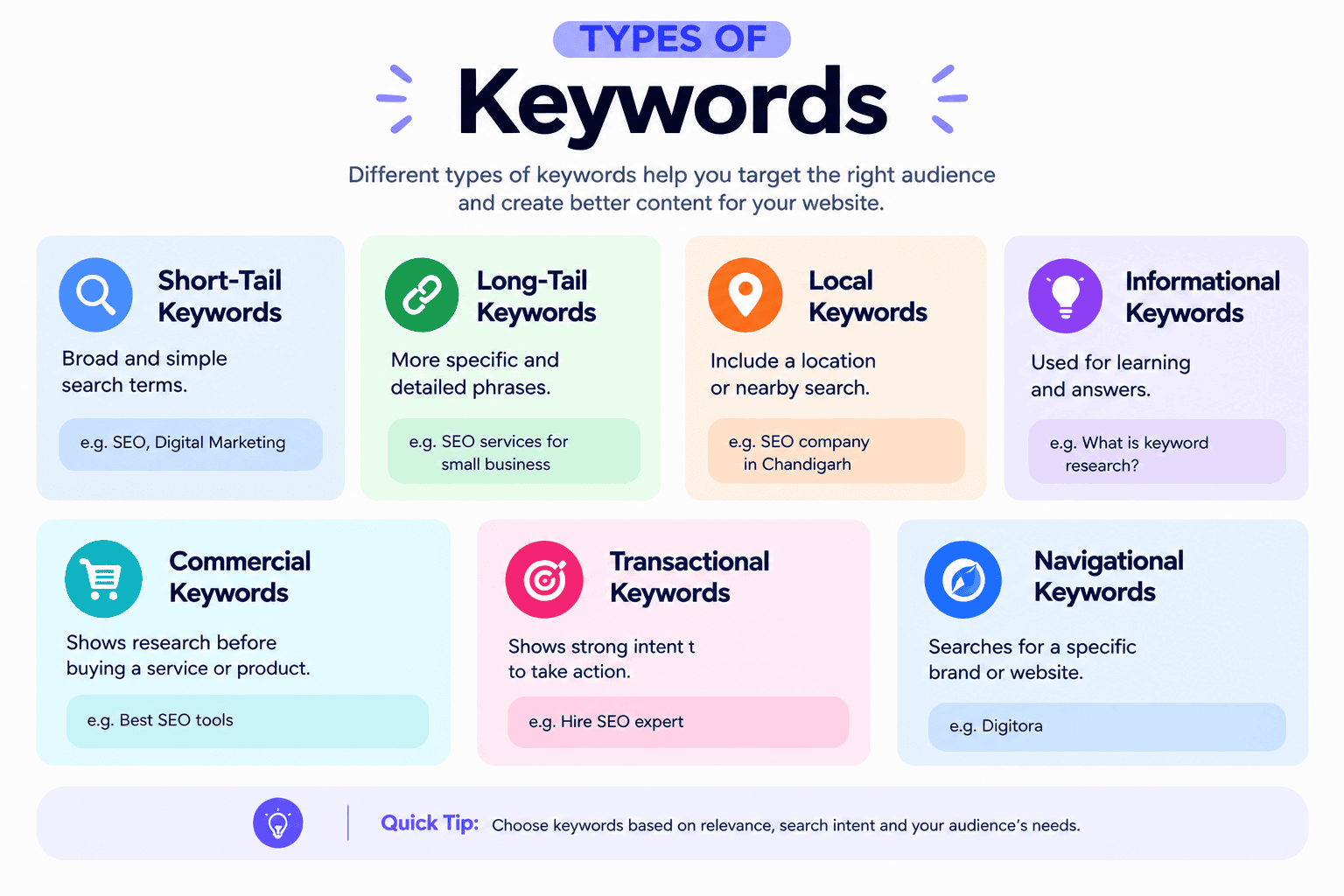
    Types of Keywords

    Keywords can be classified in different ways. Understanding these types can help you build a better SEO strategy.

    Short-Tail Keywords
    Short-tail keywords are usually short and broad search terms.Examples:SEO ,Digital marketing ,Social media ,Web design .These keywords can have high search volume, but they can also be highly competitive and may have a broad search intent.

    Long-Tail Keywords
    Long-tail keywords are more specific search phrases.Examples:
     SEO services for small businesses
     
    Digital marketing agency in Chandigarh
    How to improve local SEO
    Best SEO strategy for a new website
    Long-tail keywords can help you target more specific searches and understand the user’s intent more clearly.


    Local Keywords

    Local keywords include a location or indicate that the user is looking for a nearby business.Examples:
    SEO agency in Chandigarh
    Digital marketing company near me
    SEO services in Punjab
    These keywords can be useful for businesses that serve customers in a specific city or area.

    What Is Search Intent?

    Search intent means the reason behind a person’s search.Before choosing a keyword, it is important to understand what the searcher wants.

    For example, if someone searches “what is keyword research,” they probably want to learn about the topic.
    If someone searches “keyword research tools,” they may be looking for tools they can use.
    If someone searches “SEO agency in Chandigarh,” they may be looking for a company that provides SEO services.
    Understanding search intent helps you create content that actually answers the user’s needs.

    How to Do Keyword Research

    Keyword research is an important step before writing a blog. It helps you understand what people are searching for and what information they want to find.Instead of choosing a blog topic randomly, keyword research helps you choose a topic based on real searches.

    For example, if you want to write about SEO, you could write a general article about “SEO.” But after doing keyword research, you may discover more specific searches such as “how to improve SEO,” “keyword research for beginners,” or “how to do keyword research.”

    1. Start With a Main Topic
    First, choose the main topic of your blog.
    Think about:
    What does my business offer?
    What does my audience want to learn?
    What problems can I help them solve?
    What questions might they search on Google?
    For example, if your business provides digital marketing services, possible topics could be:SEOKeyword researchSocial media marketingGoogle AdsLocal SEOWebsite optimizationLet’s say you choose keyword research as your main topic

    .2. Find Seed Keywords
    A seed keyword is a simple word or phrase that describes your main topic.For a keyword research blog, your seed keywords could be:
    keyword research
    keyword research tools
    SEO keywords
    finding keywords
    keyword research for SEO
    These keywords are the starting point for finding more specific ideas.

    3. Find More Keyword Ideas

    Now expand your list using keyword research tools.
    Some useful tools include:
    Google Keyword Planner
    Semrush
    Ahrefs
    Ubersuggest
    GoogleTrends
    AnswerThePublic
    You can also use Google itself.Start typing your topic into Google and look at the suggestions that appear. You can also check the “People also ask” section and related searches.These can give you ideas about the questions and topics people are interested in.


    4. Check Search Volume
    Search volume tells you approximately how many times people search for a keyword during a given period.For example:
    Keyword: keyword research
    Search volume: 10,000 search
    .However, don’t choose a keyword only because it has high search volume.A keyword with lower search volume can still be valuable if it is highly relevant to your audience and has a clear purpose.

    5. Check Keyword Difficulty
    Keyword difficulty helps you understand how competitive a keyword may be.For example:Keyword:
    Very highThis may be difficult for a new website to rank for because many established websites are already competing for it.Instead, you could look for a more specific keyword such as:“keyword research for small business”More specific keywords may have lower search volume, but they can be easier to target and may match your audience better.

    6. Understand Search Intent
    Search intent means why someone is searching for a keyword.This is one of the most important parts of keyword research.

    For example:“What is keyword research?”The person probably wants to learn.“Best keyword research tools”The person is probably comparing tools.“Keyword research service”The person may be looking for someone to provide the service.
    Before choosing a keyword, search it on Google and look at the results.

    Ask yourself:
    What type of pages are ranking?
    Are they blogs, guides, service pages, or product pages?
    What questions are they answering?
    Can my blog provide a useful answer?
    Your content should match what the searcher expects

    Where Should You Use Keywords?


    Once you have selected your keywords, use them naturally in your content.
    You can use relevant keywords in places such as:

    Page titles
    Headings
    Main content
    Meta titles
    Meta descriptions
    URLsImage
    alt text
    Internal links
    However, avoid using the same keyword too many times just to try to rank higher.

  • A Complete Guide To Social Media Strategy

    A Complete Guide To Social Media Strategy

    Social Media Strategy: A Complete Guide to Building a Strong Brand Presence  

    Social media is no longer just a place to post pictures, reels, or promotional offers. For modern businesses, it has become a powerful channel for building brand awareness, connecting with customers, generating leads, and driving long-term growth.

    But simply being active on Instagram, Facebook, LinkedIn, YouTube, or other platforms is not enough. Without a clear plan, businesses often post inconsistently, target the wrong audience, follow every trend, and struggle to understand why their content isn’t producing results.

    That’s where a social media strategy comes in.

    A well-planned social media strategy gives your brand a clear direction. It defines what you want to achieve, who you want to reach, what content you should create, which platforms you should use, how frequently you should publish, and how you will measure success.

    At Digitora, we believe social media should not just generate likes it should create attention, trust, engagement, and meaningful business results.

    What Is a Social Media Strategy?

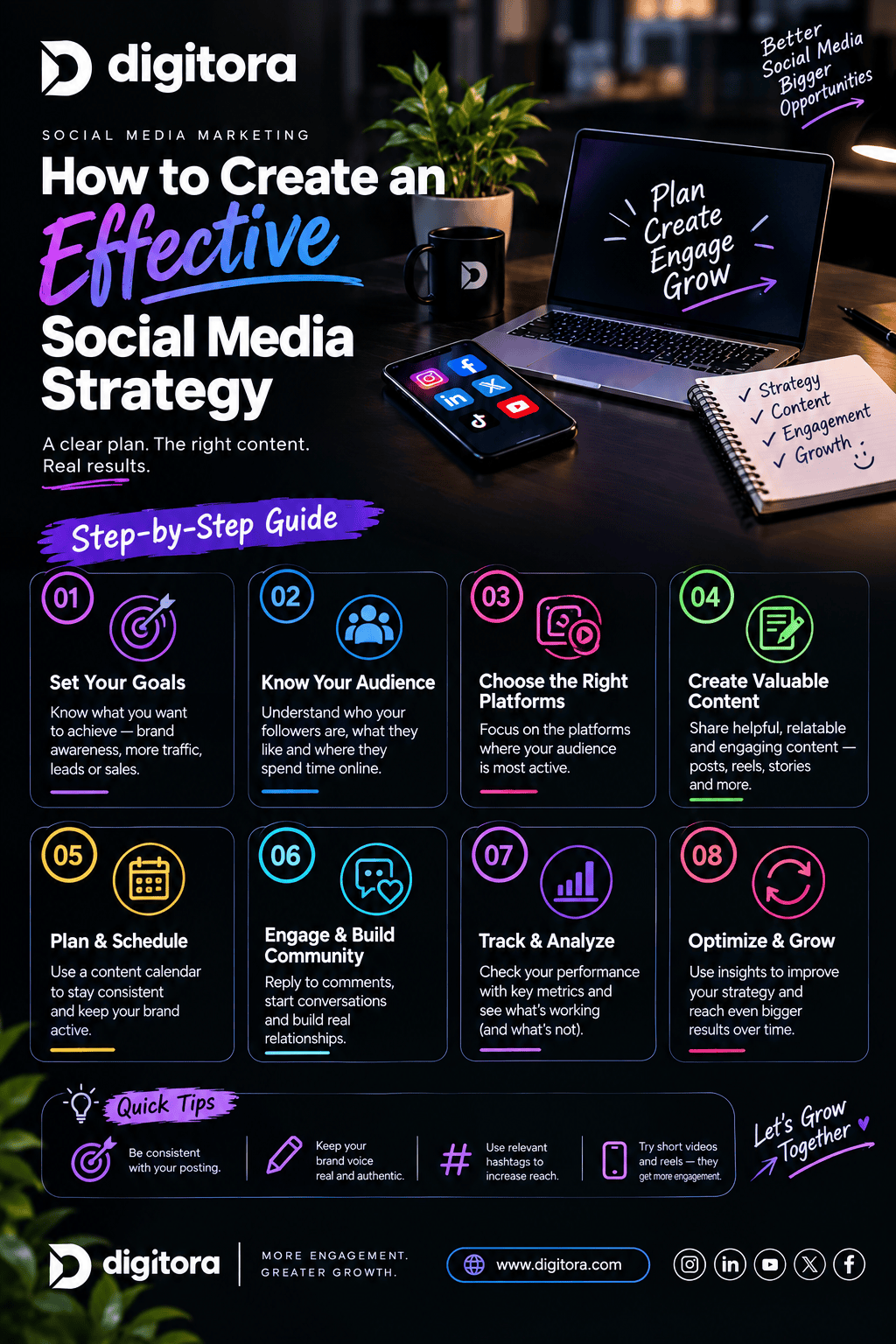
    Social media strategy infographic with seven steps for planning, creating, engaging, analyzing, and growing

    A social media strategy is a structured plan that explains how a business will use social media platforms to achieve specific marketing and business objectives.

    It brings together:

    * Business goals
    * Target audience research
    * Platform selection
    * Content strategy
    * Content planning
    * Brand positioning
    * Community engagement
    * Organic social media
    * Paid social media
    * Performance tracking
    * Continuous optimization

    Instead of asking “What should we post today?” a strategy helps you answer a much more important question.

    “Why are we posting this, who is it for, and what result do we want?”

    That shift from random posting to purposeful communication is what makes social media marketing more effective.

    Why Is Social Media Strategy Important?

    Millions of businesses are competing for attention online. Creating attractive content is only one part of the challenge.

    A strategy helps your business create a consistent and recognizable presence while connecting social media activity to actual business objectives.

    1. Builds Brand Awareness

    Consistent and valuable content helps people recognize your brand and understand what you offer.

    2. Reaches the Right Audience

    A strategy allows you to identify your ideal customers based on factors such as interests, needs, location, demographics, and online behavior.

    3. Creates Customer Relationships

    Social media allows businesses to communicate directly with their audience through comments, messages, Stories, live content, and other interactive formats.

    4. Generates Leads and Sales

    Strategically designed content can guide potential customers from discovering your brand to visiting your website, contacting your business, or making a purchase.

    5. Creates Consistency

    A content plan prevents your social profiles from becoming inactive or inconsistent.

    6. Makes Marketing Measurable

    Analytics allow you to understand which content is performing and which areas need improvement.

    How to Create an Effective Social Media Strategy?

    Digitora social media marketing infographic showing a step-by-step guide to creating an effective social media strategy, including setting goals, knowing your audience, choosing the right platforms, and creating valuable content


    Step 1: Define Your Social Media Goals

    Before creating content, decide what you want social media to achieve.

    Your goals could include:

    * Increasing brand awareness
    * Growing your audience
    * Generating leads
    * Increasing website traffic
    * Improving engagement
    * Building an online community
    * Increasing sales
    * Promoting products or services
    * Establishing industry authority

    Your goals should be specific and measurable.

    A clear goal makes it easier to decide what content to create and which metrics to track.

    Step 2: Understand Your Target Audience

    You cannot create an effective social media strategy without understanding who you’re talking to.

    Identify:

    * Age group
    * Location
    * Interests
    * Profession
    * Problems and challenges
    * Buying behavior
    * Preferred platforms
    * Content preferences
    * Questions they frequently ask
    * Reasons they may choose your competitors

    Think about your ideal customer as a real person rather than simply “everyone.”

    The better you understand your audience, the easier it becomes to create content that feels relevant to them.

    Step 3: Choose the Right Social Media Platform

    You don’t need to be everywhere.

    The right platform depends on your audience, industry, content style, and business objectives.

    Instagram

    Ideal for:

    * Lifestyle brands
    * Fashion
    * Beauty
    * Food
    * Travel
    * Personal brands
    * Local businesses
    * Creators

    Useful formats include Reels, Stories, carousels, images, collaborations, and educational content.

    Facebook

    Useful for:

    * Local businesses
    * Communities
    * Older demographics
    * Customer communication
    * Paid advertising
    * Groups

    LinkedIn

    Particularly valuable for:

    * B2B companies
    * Professionals
    * Consultants
    * Agencies
    * SaaS companies
    * Personal branding
    * Recruitment

    YouTube

    Useful for:

    * Educational content
    * Tutorials
    * Reviews
    * Demonstrations
    * Long-form video
    * Search-driven content

    TikTok

    Useful for:

    * Short-form video
    * Entertainment
    * Trend-based content
    * Creator-led marketing
    * Reaching new audiences

    Step 4: Create Your Content Pillars

    Content pillars are the main themes your brand repeatedly talks about.

    Instead of creating random posts, define 3–5 core content categories.

    For example, a digital marketing agency could use:

    1. Educational Content

    Teach your audience something useful.

    Examples:

    * SEO tips
    * Social media tips
    * Website optimization
    * Marketing mistakes
    * Content creation ideas

    2. Engagement Content

    Encourage people to interact.

    Examples:

    * Questions
    * Polls
    * Quizzes
    * Opinions
    * This-or-that posts

    3. Promotional Content

    Showcase your products or services.

    Examples:

    * Service benefits
    * Offers
    * Case studies
    * Testimonials
    * Packages

    4. Brand Content

    Show the human side of the business.

    Examples:

    * Behind the scenes
    * Team introductions
    * Company culture
    * Achievements
    * Milestones

    5. Inspirational or Entertaining Content

    Create content people want to watch, share, or save.

    A strong strategy balances different content purposes instead of making every post a sales pitch.

    Step 5: Create Platform-Specific Content

    One common mistake is creating exactly the same post for every platform.

    Your core idea can remain the same, but the presentation should be adapted.

    For example:

    Topic: “Why businesses need SEO”

    Instagram:
    Create a short educational Reel or carousel.

    LinkedIn:
    Turn the idea into a professional insight or mini case study.

    YouTube:
    Create a detailed video explaining the concept.

    Facebook:
    Create an easy-to-understand post that encourages discussion.

    This approach allows you to repurpose ideas without making your social presence feel repetitive.

    Step 6: Focus on Valuable Content

    Your audience follows your brand because your content gives them a reason to stay.

    Before publishing, ask:

    “What will the audience get from this post?”

    Your content could:

    * Teach
    * Entertain
    * Inspire
    * Solve a problem
    * Answer a question
    * Start a conversation
    * Help someone make a decision

    Step 7: Create Strong Hooks and Calls to Action

    People scroll quickly, so your content needs to capture attention.

    Instead of:

    “Social media is important for businesses.”

    Try:

    “Posting every day but still getting no customers?”

    Other hook ideas:

    * “3 social media mistakes killing your reach.”
    * “Stop posting until you understand this.”
    * “Your competitors are doing this on Instagram.”
    * “Want more customers from social media?”
    * “Here’s why your Reels aren’t converting.”

    At the end of your content, give the audience a clear next step.

    Examples:

    * Follow for more tips
    * Save this post
    * Share with your team
    * Comment your opinion
    * Visit our website
    * Send us a DM
    * Book a consultation

    Step 8: Build an Engagement Strategy

    Social media is not a one-way communication channel.

    Posting content is only the beginning.

    Your strategy should also include:

    * Replying to comments
    * Responding to DMs
    * Engaging with relevant accounts
    * Answering customer questions
    * Responding to mentions
    * Creating interactive Stories
    * Encouraging conversations
    * Building a community

    The goal is to turn followers into an audience and an audience into a community.

    Step 9: Use Organic and Paid Social Together

    Organic social media helps you build trust, community, and long-term visibility.

    Paid social media can help you reach specific audiences and accelerate campaigns.

    Depending on your objectives, paid campaigns can be used for:

    * Brand awareness
    * Website traffic
    * Lead generation
    * Product promotion
    * Retargeting
    * Sales
    * Event promotion

    The strongest approach is not necessarily choosing organic or paid. Instead, determine where each approach fits into your overall marketing funnel.

    Step 10: Track Your Social Media Performance

    A strategy without measurement is difficult to improve.

    Important metrics include:

    Reach

    How many unique people saw your content?

    Impressions

    How many total times was your content displayed?

    Engagement Rate

    How actively are people interacting with your content?

    Saves

    Are people finding your content valuable enough to return to it?

    Shares

    Is your content valuable enough for people to send to others?

    Follower Growth

    Is your audience growing over time?

    Website Traffic

    Are social users visiting your website?

    Leads

    Are your social channels generating potential customers?

    Conversions

    Are social media visitors taking valuable actions?

    Return on Investment

    Is your social media activity contributing to business revenue?

    Don’t judge your strategy using followers alone. A smaller but relevant audience can be more valuable than a large audience that never engages or converts.

    Step 11: Analyze, Test and Improve

    Social media strategy is not something you create once and never change.

    Review your performance regularly.

    Ask:

    * Which posts received the most engagement?
    * Which topics generated the most saves?
    * Which content generated shares?
    * Which platform brought the most traffic?
    * Which posts generated leads?
    * Which hooks performed best?
    * What does the audience respond to?
    * What should we stop doing?

    Then use those insights to improve your next content cycle.

    A modern strategy should be treated as a living plan that evolves with audience behavior, platform changes, and business goals. (Social Media Dashboard)

    Common Social Media Strategy Mistakes

    Digitora social media marketing infographic highlighting common social media strategy mistakes, including unclear goals, ignoring the target audience, and inconsistent posting

    Avoid these common mistakes:

    Posting Without a Goal

    Every post doesn’t need to sell, but every post should have a purpose.

    Trying to Be on Every Platform

    Focus on the platforms that matter to your audience.

    Copying Competitors

    Research competitors, but develop your own positioning and brand voice.

    Posting Only Promotional Content

    People don’t follow brands just to see advertisements.

    Ignoring Comments and Messages

    Engagement is a two-way conversation.

    Inconsistent Posting

    A strong strategy requires consistency.

    Chasing Every Trend

    A trend is useful only when it makes sense for your brand and audience.

    Ignoring Analytics

    Without data, you’re relying on assumptions.

    Focusing Only on Likes

    Likes are only one part of performance. Saves, shares, clicks, leads, and conversions can provide much deeper insight.

    Social Media Strategy vs Social Media Management

    These terms are often confused.

    Social Media Strategy is the plan.

    It answers:

    * What are we trying to achieve?
    * Who are we targeting?
    * Which platforms should we use?
    * What content should we create?
    * What is our brand positioning?
    * How will we measure success?

    Social Media Management is the execution.

    It includes:

    * Creating content
    * Scheduling posts
    * Publishing
    * Community management
    * Responding to comments
    * Managing messages
    * Monitoring performance

    In simple words:

    Strategy decides where you’re going. Management helps you get there.

    How Digitora Can Help With Your Social Media Strategy

    Your social media presence should be more than a collection of posts.

    At Digitora, we help businesses develop social media strategies designed around their goals, audience, brand identity, and growth opportunities.

    Our approach can include:

    Audience Research → Platform Strategy → Content Pillars → Content Calendar → Content Creation → Community Engagement → Performance Analysis → Optimization

    We focus on creating a social media presence that is consistent, purposeful, engaging, and aligned with your broader digital marketing goals.

    Whether you’re launching a new brand, improving an existing social presence, or looking for a clearer direction, the right strategy can help turn social media into a valuable growth channel.

    Frequently Asked Questions

    What is a social media strategy?

    A social media strategy is a structured plan for using social platforms to achieve specific business and marketing goals. It includes audience research, platform selection, content planning, engagement, and performance measurement.

    Why does a business need a social media strategy?

    A strategy helps businesses avoid random posting, reach the right audience, maintain consistency, create relevant content, and measure whether social media is contributing to business objectives.

    How often should a business post on social media?

    There is no universal posting frequency that works for every business. The ideal schedule depends on the platform, audience, resources, and content quality. Consistency and relevance are more important than simply posting as much as possible.

    Which social media platform is best for my business?

    It depends on your target audience and business model. Instagram can be valuable for visual and consumer-focused brands, LinkedIn for many B2B businesses and professionals, YouTube for educational or video-led businesses, and Facebook for communities, local businesses, and broader audiences.

    What are the most important social media metrics?

    Important metrics can include reach, impressions, engagement, saves, shares, follower growth, website clicks, leads, conversions, and revenue or ROI.

    Can social media generate leads?

    Yes. A well-planned strategy can use educational content, offers, landing pages, lead forms, DMs, advertising, and calls to action to move users from awareness toward becoming potential customers.

    How long does it take to see results from social media?

    Results vary depending on the business, audience, platform, content quality, competition, consistency, and objectives. Social media generally works best when approached as a long-term process of testing, learning, and optimization rather than a quick one-time campaign.

    Ready to Build a Smarter Social Media Presence?

    Your audience is already online.

    The question is whether your brand has a strategy strong enough to earn their attention.

    Don’t just post. Build a strategy. Create meaningful content. Start conversations. Measure your results. Grow your brand.

    Let Digitora turn your social media presence into a strategic growth opportunity. 

  • A Complete Guide To Profile Optimization

    A Complete Guide To Profile Optimization

    Social Media Profile Optimization:Your Profile Is Your Digital First Impression

    Imagine someone discovers your brand on Instagram, LinkedIn, Facebook, or another social platform.
     

    What do they see first?

    Your profile.

    Before they explore your content, visit your website, or contact you, your profile needs to answer one simple question:

    “Why should I follow, trust, or choose this brand?”

    At Digitora, we help businesses, creators, startups, and personal brands optimize their social media profiles to create a stronger first impression, improve discoverability, build credibility, and turn profile visitors into meaningful actions.

    Because your profile shouldn’t just look good it should work for you.

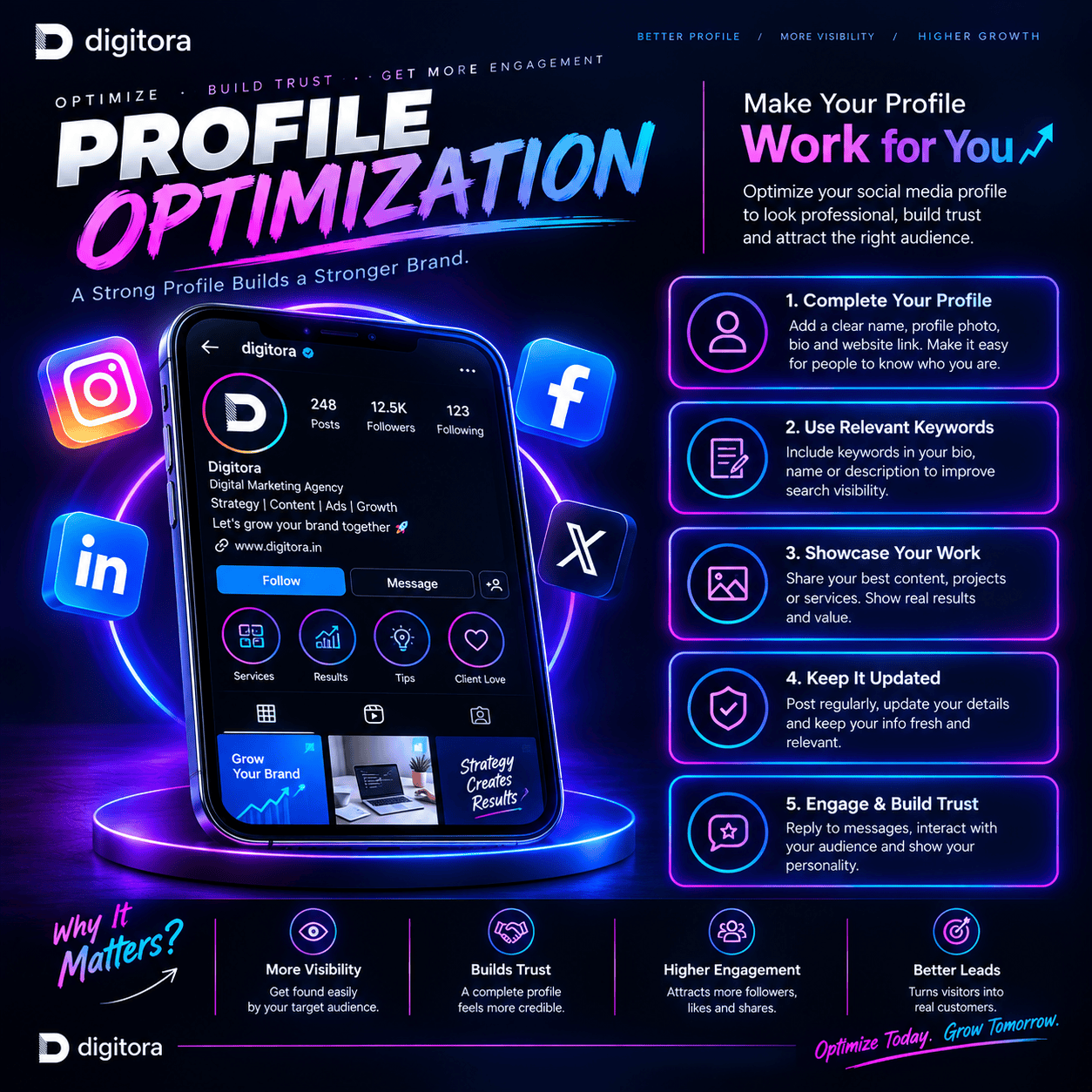
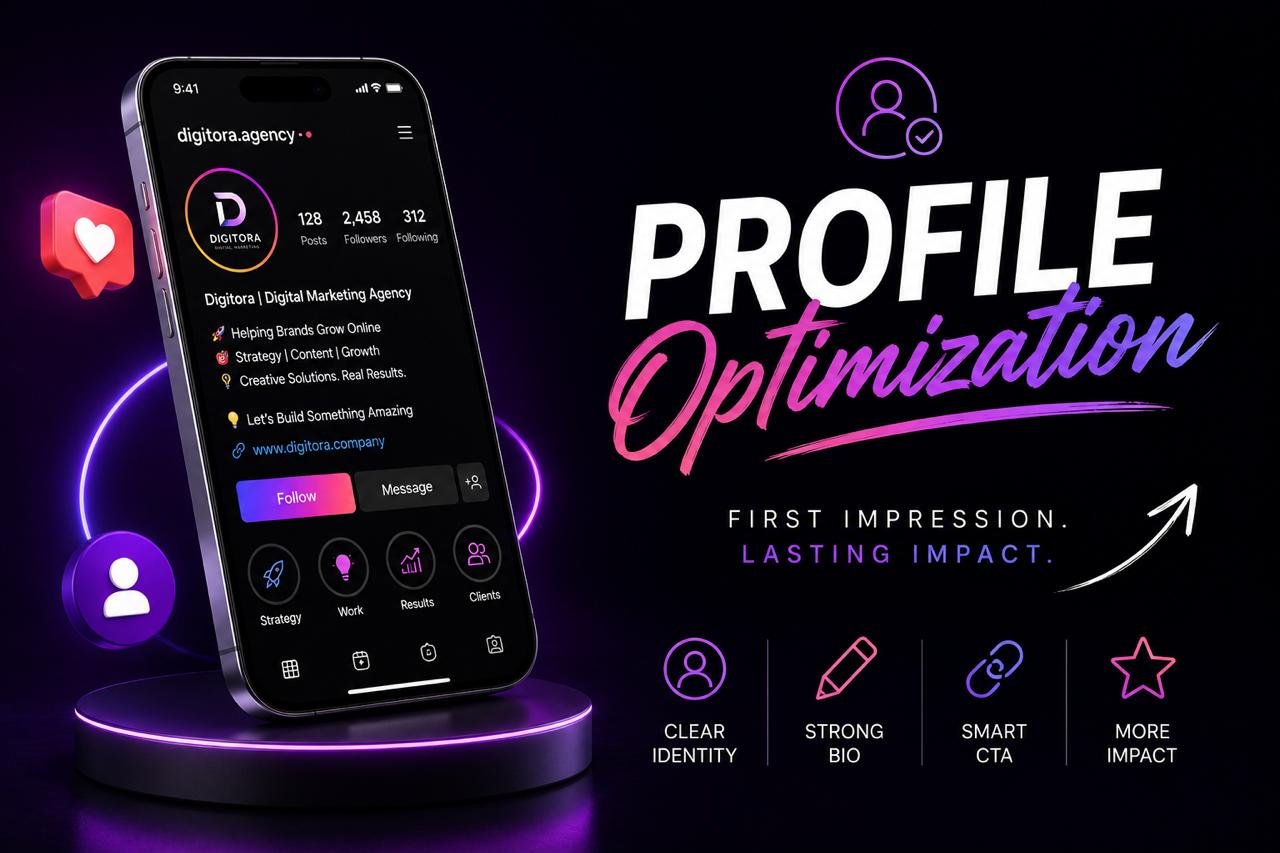
    Digitora profile optimization infographic showing five ways to improve a social media profile: complete your profile, use relevant keywords, showcase your work, keep it updated, and engage with your audience to build trust.

    What Is Social Media Profile Optimization?

    Social media profile optimization is the process of strategically improving your social media profile so that it clearly communicates your brand identity, value, services, and personality to the right audience.

    It includes optimizing important elements such as:

    Profile name
    Username
    Profile picture
    Bio
    Keywords
    Website or link
    Contact information
    Call-to-action
    Highlights
    Pinned content
    Visual branding
    Overall profile structure

    A strong profile should help a visitor understand who you are, what you do, and what they should do next within just a few seconds.

    Why Does Profile Optimization Matter?

    Having a social media account is not the same as having a strong social media presence.

    You could have thousands of followers, but if your profile doesn’t communicate your value clearly, you may still lose potential customers.

    A properly optimized profile can help you:

    Build Trust 

     A complete and professional profile makes your brand look more credible.

    Attract the Right Audience

    Clear messaging helps people understand whether your account is relevant to them.

    Improve Discoverability

    Relevant profile information and keywords can help people find your account.

    Strengthen Your Brand

    Consistent visuals and messaging make your brand easier to recognize.

    Increase Engagement

    A clear profile gives visitors a reason to explore your content.

    Generate Leads

    Strategic links and CTAs can turn profile visitors into inquiries.

    Drive Website Traffic

    Your profile can become a direct pathway to your website, services, products, or landing pages.

    What Makes a Perfectly Optimized Profile?

    A great profile isn’t about filling every available field.

    It’s about making every element meaningful.

    1.Username-Make It Simple

    Your username should be:

    Easy to remember
    Easy to spell
    Relevant to your brand
    Consistent across platforms whenever possible

    Avoid unnecessary numbers, complicated symbols, or usernames that are difficult to understand.

    Example:

    Instead of:

    @digitora_786_official123

    A cleaner option would be:

    @digitora

    Simple is memorable.

    2.Profile Name-Help People Understand You

    Your profile name is different from your username and can provide additional context about your brand.

    For example:

    Digitora | Digital Marketing

    This immediately communicates the brand and its category.

    For a personal brand:

    XYZ| Digital Marketer

    The goal is to make your profile understandable to both people and platform search systems.

    3. Profile Picture-Be Recognizable

    Your profile picture should instantly represent your identity.

    For businesses, this can be your logo.

    For creators, consultants, influencers, and personal brands, a professional photograph may work better.

    Your profile picture should be:

    ✔ Clear
    ✔ High quality
    ✔ Recognizable at a small size
    ✔ Consistent with your brand
    ✔ Suitable for the platform

    Your profile picture isn’t just decoration.

    It’s part of your brand recognition.

    4. Bio-Explain Your Value Quickly

    Your bio is one of the most important parts of your profile.

    A good bio shouldn’t simply say:

    “Digital Marketing Agency.”

    It should communicate your value.

    A useful formula is:

    What You Do + Who You Help + Your Value + CTA

    For example:

    Helping brands grow their digital presence
    SEO | Social Media | Digital Strategy
    Turning online presence into real growth.
    ↓ Let’s grow together

    Your audience shouldn’t have to guess what you offer.

    Make your value obvious.

    5. Use Keywords Naturally

    Social platforms increasingly function like search engines.

    People search for things such as:

    Digital marketing agency
    Social media marketing
    SEO services
    Personal branding
    Content creator
    Fitness coach
    Graphic designer

    Using relevant keywords naturally in your profile name, bio, description, or other available profile fields can help communicate your niche and improve discoverability.

    However, avoid stuffing your profile with keywords.

    Write for humans first. Optimize intelligently second.

    6. Add a Strong Call-to-Action

    Don’t leave visitors wondering what to do next.

    Tell them.

    Your CTA could be:

    Visit our website
    Book a consultation
    Send us a message
    Shop now
    Get a quote
    Download our guide
    Explore our services

    A strong CTA turns passive profile visitors into active prospects.

    7. Optimize Your Link

    Your profile link is valuable digital real estate.

    Instead of using a random or outdated link, direct visitors to something useful:

    Website
    Service page
    Product page
    Booking page
    Portfolio
    Contact page
    Campaign landing page

    Always make sure your link works and matches your current campaign or business objective.

    8. Make Your Branding Consistent

    Imagine finding the same brand on Instagram, Facebook, LinkedIn, and X.

    If every platform uses a different logo, color palette, tone, and description, the brand may feel disconnected.

    Consistent branding can include:

    Logo + Colors + Fonts + Tone + Messaging + Visual Style

    Consistency builds familiarity.

    Familiarity builds recognition.

    9. Use Highlights Strategically

    For Instagram and similar platforms, highlights can help organize important information.

    Instead of creating random highlights, use them as a simple navigation system.

    Useful categories include:

    About | Services | Work | Reviews | FAQs | Contact

    Your highlights should answer the questions your audience is most likely to ask.

    10. Pin Your Best Content

    Pinned posts are often among the first pieces of content a visitor sees.

    Use them strategically.

    You could pin:

    An introduction to your brand
    Your best-performing content
    Your services
    Customer testimonials
    A useful educational post
    A product or service announcement

    Think of pinned posts as the welcome section of your profile.

    Profile Optimization for Different Platforms

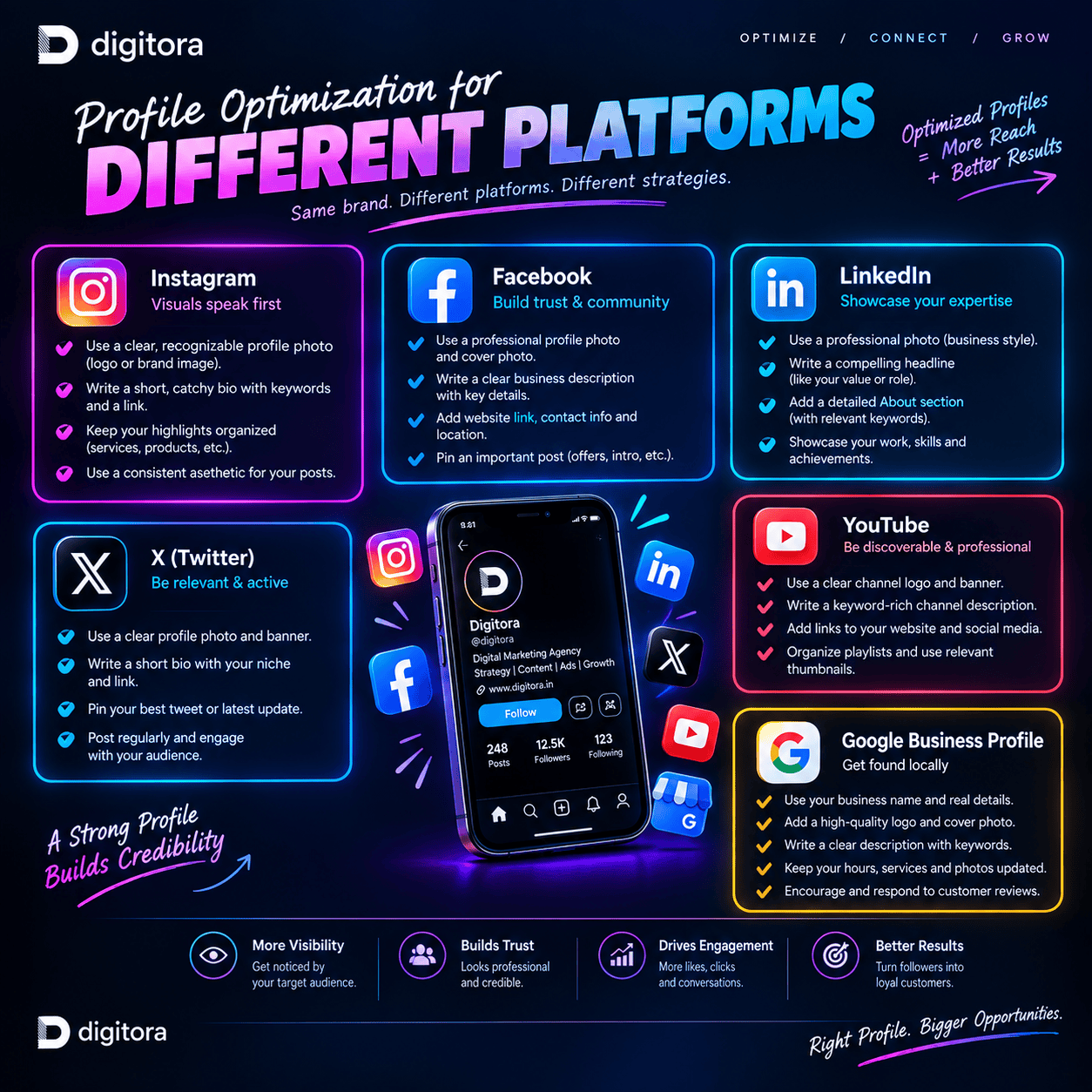
    Digitora infographic showing profile optimization strategies for Instagram, Facebook, LinkedIn, X, YouTube, and Google Business Profile, with platform-specific tips for improving visibility, credibility, and engagement

    Every social platform has a different purpose, audience, and profile structure.

    Instagram

    Focus on:

    Username
    Profile name
    Bio
    Keywords
    Profile picture
    Link
    Highlights
    Pinned posts
    Visual consistency

    Instagram optimization should combine discoverability + branding + conversion.

    Facebook

    Focus on:

    Page name
    Username
    Profile image
    Cover image
    About section
    Business category
    Contact information
    Website
    CTA

    Make it easy for visitors to understand your business and contact you.

    LinkedIn

    For professionals and businesses, focus on:

    Professional profile photo
    Headline
    About section
    Experience
    Skills
    Featured content
    Company information
    Professional positioning

    Your LinkedIn profile should establish expertise and credibility.

    X(Twitter)

    Keep your identity clear and concise through:

    Username
    Name
    Bio
    Profile picture
    Header
    Website
    Brand positioning

    Your profile should tell visitors exactly what your account is about.

    Profile Optimization for Different Types of Users

    For Businesses

    Focus on:

    Brand → Services → Trust → CTA → Conversion

    Your profile should make it easy for potential customers to understand what you offer and how to contact you.

    For Creators

    Focus on:

    Niche → Personality → Content → Community

    Your profile should clearly communicate what type of content people can expect.

    For Personal Brands

    Focus on:

    Expertise → Authority → Personality → Trust

    Show people what you know, what you stand for, and why they should follow you.

    For Startups

    Focus on:

    Problem → Solution → Value → Differentiation

    Your profile should quickly communicate what your startup does and who it helps.

    Common Profile Optimization Mistakes

    Even a good business can lose opportunities because of small profile mistakes.

    ❌ Unclear Bio

    Visitors don’t understand what you do.

    ❌ Complicated Username

    People struggle to remember or search for you.

    ❌ No CTA

    Visitors don’t know what action to take.

    ❌ Outdated Information

    Old offers, links, contact details, or descriptions can reduce trust.

    ❌ Inconsistent Branding

    Different logos, colors, and messaging across platforms can weaken brand recognition.

    ❌ Too Much Information

    Trying to say everything can make your profile difficult to understand.

    ❌ No Target Audience

    A profile that tries to speak to everyone often connects with no one strongly.

    Our Profile Optimization Process

    At Digitora, we follow a strategic approach instead of simply changing your bio.

    1.Profile Audit

    We analyze your existing profile and identify areas for improvement.

    2.Audience Research

    We understand who you’re trying to reach and what they expect from your brand.

    3.Brand Positioning

    We define how your brand should communicate its value and personality.

    4.Profile Optimization

    We improve your profile information, bio, keywords, links, CTAs, and other important elements.

    5.Visual Consistency

    We align your profile with your overall brand identity.

    6.Conversion Optimization

    We make your profile easier for visitors to navigate and take action.

    7.Continuous Improvement

    Your profile shouldn’t remain static forever. We review performance and make improvements as your goals and audience evolve.

    Profile Optimization Checklist

    Before you call your profile “ready,” ask yourself:

    Is my username simple?
    Is my profile name clear?
    Is my profile picture professional?
    Does my bio clearly explain what I do?
    Is my target audience obvious?
    Have I used relevant keywords naturally?
    Is my website/link working?
    Is my CTA clear?
    Is my contact information updated?
    Is my branding consistent?
    Are my highlights organized?
    Are my pinned posts strategic?
    Is my information current?
    Does my profile give visitors a reason to follow or contact me?

    If most of these answers are yes, you’re on the right track.

    Profile Optimization + Social Media Strategy

    Profile optimization shouldn’t exist separately from your social media strategy.

    Think of it this way:

    Your Content Gets Attention.

    ↓

    Your Profile Builds Trust.

    ↓

    Your CTA Encourages Action.

    ↓

    Your Strategy Turns Attention Into Growth.

    That’s why profile optimization and social media strategy work together.

    A strong strategy can bring people to your profile.

    A strong profile can give them a reason to stay.

    Why Choose Digitora?

    At Digitora, we don’t believe in one-size-fits-all profiles.

    Every business has a different audience, personality, industry, and goal.

    Our approach combines:

    Strategy + Branding + Audience Understanding + Optimization + Conversion

    We help create social media profiles that aren’t just attractive but also clear, credible, discoverable, and purposeful.

    We help you turn:

    Profile Visitors → Followers → Engagement → Leads → Customers

    Frequently Asked Questions

    1. What is social media profile optimization?

    Social media profile optimization is the process of improving your profile’s information, branding, keywords, bio, links, CTA, and overall presentation to make it more professional, discoverable, and useful to your target audience.

    2. Why is social media profile optimization important?

    Your profile is often the first thing people see when they discover your brand. An optimized profile can help create trust, communicate your value, attract the right audience, and encourage visitors to take action.

    3. Does profile optimization help increase followers?

    It can help improve the experience for people who discover your account and make your profile clearer and more appealing. However, follower growth also depends on content quality, audience targeting, consistency, engagement, and your overall social media strategy.

    4. How often should I optimize my social media profile?

    Review your profile regularly, especially when your services, branding, target audience, offers, or business goals change. A quick audit every few months can help keep your information relevant.

    5. What should I include in my social media bio?

    A strong bio can include what you do, who you help, your key value proposition, and a clear call-to-action. Keep it concise and easy to understand.

    6. Should I use keywords in my social media profile?

    Yes. Relevant keywords can help communicate your niche and may improve discoverability on platforms that use search. Use them naturally rather than stuffing your profile with keywords.

    7. Is profile optimization only for businesses?

    No. Profile optimization is useful for businesses, creators, freelancers, influencers, professionals, startups, entrepreneurs, and personal brands.

    8. Can you optimize profiles on multiple social media platforms?

    Yes. A profile can be optimized across platforms such as Instagram, Facebook, LinkedIn, and X, while adapting the messaging and profile elements to each platform.

    9. What is the difference between profile optimization and social media marketing?

    Profile optimization focuses on improving your social media profile and digital first impression. Social media marketing is broader and can include content creation, strategy, audience engagement, campaigns, advertising, analytics, and community building.

    10. Can profile optimization help generate leads?

    Yes. A clear value proposition, relevant information, strong CTA, optimized links, and easy contact options can help turn profile visitors into potential leads.

    11. How long does profile optimization take?

    The time depends on the number of platforms, the current condition of the profiles, the amount of information required, and the complexity of the brand. A basic optimization may be relatively quick, while a complete brand-focused optimization requires more research and planning.

    12. Do I need professional profile optimization if I already have a good looking profile?

    A visually attractive profile is a great start, but optimization goes beyond appearance. A strong profile should also be clear, searchable, audience-focused, consistent, and designed to encourage the right action.

    Ready to Optimize Your Digital First Impression?

    Your social media profile shouldn’t simply exist.

    It should communicate your value, represent your brand, attract the right audience, and guide visitors toward action.

    Let’s turn your profile into a powerful part of your digital marketing strategy.

    Digitora — Where Your Digital Presence Meets Real Growth.

    Optimize your profile. Strengthen your presence. Grow your brand

  • SMO-SOCIAL MEDIA OPTIMIZATION

    SMO-SOCIAL MEDIA OPTIMIZATION

     The Complete Guide to Building a Stronger Brand Online

    Social media is no longer just a place to post pictures, share updates, or follow trends. For modern businesses, it has become one of the most powerful ways to build visibility, connect with customers, and turn attention into real business opportunities.

    But simply being active on social media isn’t enough.

    Your brand needs the right Social Media Optimization (SMO) strategy to reach the right audience, communicate your value, and create a strong digital presence.

    In this guide, we’ll explore what SMO means and how social media strategy and profile optimization can work together to help your business grow online.

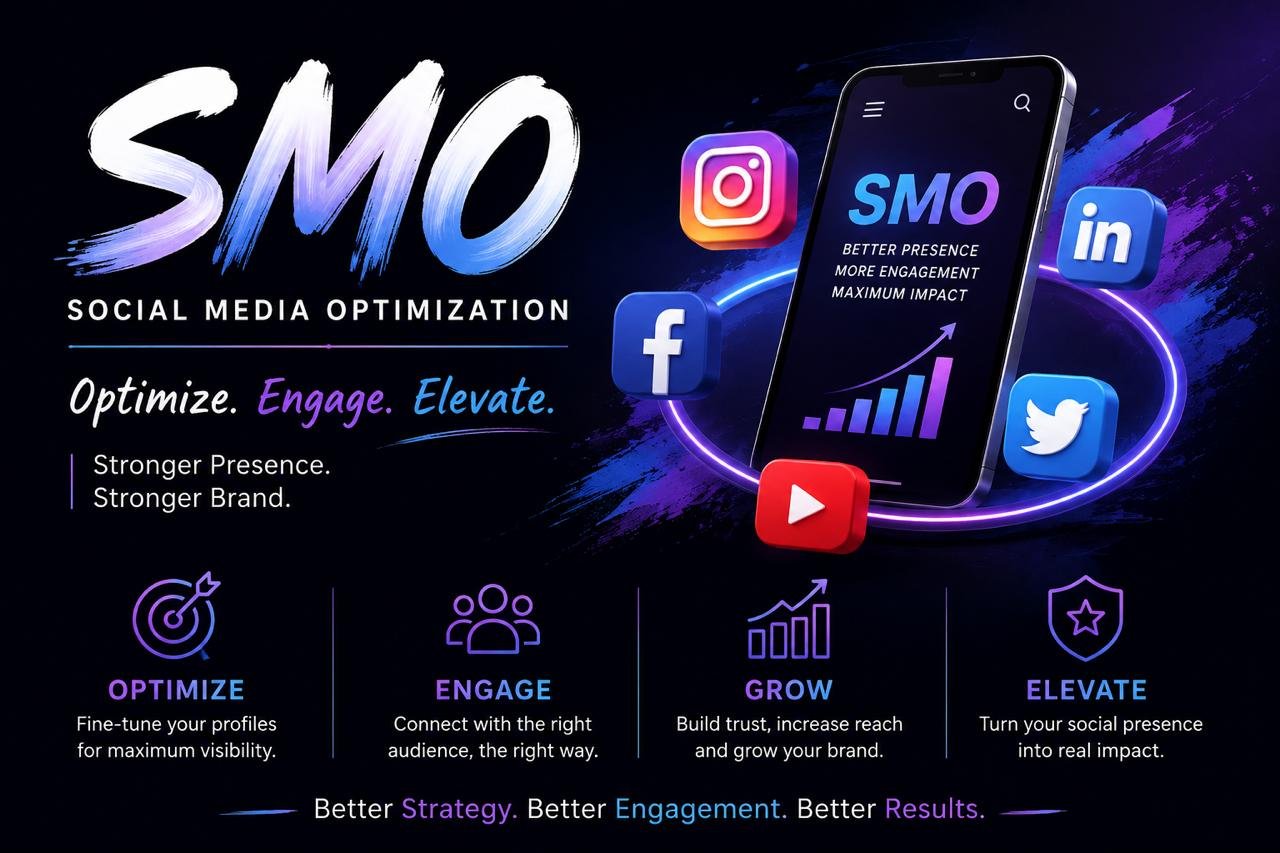
    Digitora SMO infographic explaining Social Media Optimization through four key actions: optimize profiles, engage the right audience, grow reach and brand presence, and elevate social media impact


    What is Social Media Optimization (SMO)?

    Social Media Optimization, commonly known as SMO is the process of improving a brand’s social media presence so that it becomes more visible, engaging and effective.

    It involves much more than posting regularly. SMO includes optimizing your profiles, creating valuable content, understanding your audience, improving engagement and developing strategies that encourage people to discover and interact with your brand.

    Think of your social media profile as your brand’s digital storefront.

    If it looks confusing, outdated, or inactive, visitors may leave. But if it looks professional, communicates clearly, and provides valuable content, people are more likely to trust your brand.

    Social Media Strategy:Turn Attention Into Engagement

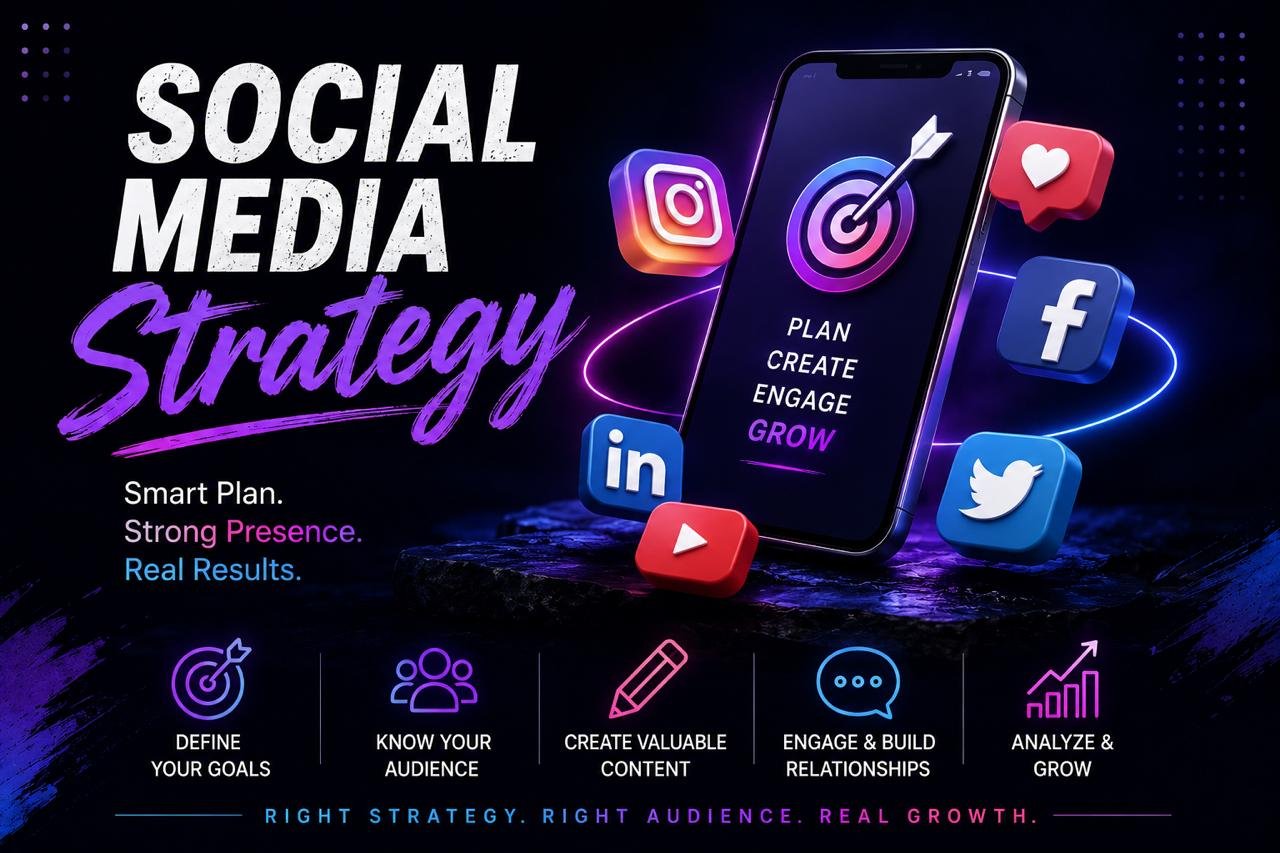
    Social media strategy infographic showing seven key steps: define goals, know your audience, create valuable content, choose platforms wisely, engage and build relationships, analyze and improve, and stay consistent.


    Once your marketing direction is clear, the next step is creating a social media strategy.

    A strong social media strategy focuses on what you post, where you post it, and how you connect with your audience.

    Choose the Right Platforms

    You don’t necessarily need to be active on every social media platform.

    Instead, focus on platforms where your target audience is actually spending time.

    Depending on your business, this could include:

    * Instagram
    * Facebook
    * LinkedIn
    * YouTube
    * Pinterest
    * X

    Being consistent on two or three relevant platforms is often more effective than spreading your efforts across every platform without a clear plan.

    Create Valuable Content

    People don’t follow brands simply because they want advertisements.

    They follow brands that give them something useful, interesting, inspiring, or entertaining.

    Your content can include:

    Educational content – Tips, guides, tutorials, and industry knowledge.

    Engaging content – Questions, polls, opinions, and interactive posts.

    Entertaining content – Relatable posts, trends, humour, and creative videos.

    Promotional content – Products, services, offers, launches, and testimonials.

    Behind-the-scenes content – Your team, process, workplace, or journey.

    The goal is to create a healthy balance between educating, engaging, and selling.

    Be Consistent

    Consistency builds recognition.

    Create a realistic content schedule and maintain it instead of posting heavily for a few days and then disappearing for weeks.

    Consistency doesn’t mean posting just for the sake of posting.

    It means consistently providing your audience with content that has a purpose.

    Measure and Improve

    A good social media strategy should evolve.

    Monitor metrics such as:

    * Reach
    * Impressions
    * Engagement
    * Profile visits
    * Website clicks
    * Leads
    * Follower growth
    * Content performance

    Use these insights to understand what your audience responds to and improve your future content.

    Profile Optimization: Make a Strong First Impression

    Digitora profile optimization infographic showing how to make a strong first impression with a clear identity, strong bio, smart call to action, and professional social media profile

    Your social media profile is often the first interaction someone has with your brand.

    You may have excellent content, but if your profile isn’t optimized, potential customers may never take the next step.

    Use a Clear Profile Picture.

    Your profile picture should immediately represent your brand.

    For a business, this will usually be your logo or another recognizable brand identity.

    Make sure it is clear even when displayed as a small profile icon.

    Write a Strong Bio.

    Your bio should quickly answer three questions:

    Who r u?

    What do u do?

    How can u help your potential coustmer?

    Avoid filling your bio with unnecessary words.

    Keep it simple, clear and focused on your audience.

    Optimize Your Username and Name.

    Use a recognizable username and make sure your profile name clearly represents your business.

    Where appropriate, include relevant keywords so people can understand what your business does and potentially discover your profile through platform search.

    Add a Clear CALL-TO-ACTION.

    Don’t leave visitors wondering what to do next.

    Your profile can guide them toward an action such as:

    * Visit your website
    * Contact your business
    * Book a consultation
    * Send a message
    * View your services
    * Download a resource

    A simple CALL-TO-ACTION(CTA) can turn profile visitors into potential customers.

    Keep Your Branding Consistent.

    Your profile should feel connected to your overall brand.

    Keep your:

    * Logo
    * Colours
    * Fonts
    * Visual style
    * Tone of voice
    * Messaging

    consistent across your website and social media channels.

    This creates a stronger and more professional brand identity.

    Paid Social Media Advertising: Meta Ads & LinkedIn Ads

    Digitora paid social media advertising infographic highlighting Meta Ads, Instagram Ads, and LinkedIn Ads for reaching targeted audiences, increasing engagement, and driving business growth.

    Paid social media advertising helps businesses reach the right audience through targeted ads on social platforms. It can increase brand awareness, website traffic, leads, app installs, and sales.

    What Is Paid Social Media Advertising?

    It is the process of paying social platforms to display your ads to selected audiences. Businesses can control their audience, budget, ad format, placement, and campaign objective.

    Meta Ads-:

    Meta Ads allow businesses to advertise across Facebook and Instagram. They are commonly used for reaching consumers, building awareness, generating leads, driving website traffic, and increasing sales.

    Key Meta Ad Elements

    * Campaign objective
    * Audience targeting
    * Ad creative
    * Placements
    * Budget & bidding
    * Tracking & optimization

    Popular Meta Ad Formats

    Image Ads • Video Ads • Carousel Ads • Stories • Reels

    LinkedIn Ads-:

    LinkedIn Ads focus on reaching professional and business audiences. They are particularly useful for B2B marketing, lead generation, professional services, and company-focused campaigns.

    LinkedIn Targeting

    Advertisers can target audiences using factors such as:

    Job Title • Industry • Company • Job Seniority • Company Size • Skills • Location

    Popular LinkedIn Ad Formats

    Single Image • Video • Carousel • Document • Lead Gen Forms • Sponsored Messaging

    Meta Ads vs LinkedIn Ads

    Meta Ads: Best suited to broad consumer and interest-based audience reach across Facebook and Instagram.

    LinkedIn Ads: Designed around professional and business-focused audiences.

    The right platform depends on your audience, objective, offer, budget, and marketing strategy.

    How paid social advertising works-

    1. Set Your Goal → Define what you want to achieve.

    2. Find Your Audience → Identify the people most relevant to your offer.

    3. Create Your Ad → Use strong visuals, copy, and a clear CTA.

    4. Set Budget & Launch → Choose your spending and campaign settings.

    5. Track & Optimize → Analyze performance and improve your campaigns.

    Track metrics such as:

    Reach • Impressions • CTR • CPC • CPM • Leads • Conversions • Cost per Lead • ROAS

    Performance Analysis & Reporting in Digital Marketing:

    Digitora digital marketing infographic explaining performance analysis and reporting, with steps to track performance, find opportunities, create clear reports, and drive data-driven growth through data collection, analysis, reporting, and improvement.

    Digital marketing is not just about launching campaigns—it is about understanding what is working, what is not, and how to improve results. Performance analysis and reporting help businesses turn marketing data into meaningful insights and better decisions.

    From website traffic and SEO rankings to social media engagement, leads, conversions, and advertising performance, analyzing the right data gives businesses a clear picture of their digital growth.

    What Is Performance Analysis in Digital Marketing?

    Performance analysis is the process of collecting, measuring, and interpreting marketing data to understand how digital campaigns and channels are performing.

    It helps answer important questions:

    * Are we reaching the right audience?
    * Which marketing channels generate the most traffic?
    * Which campaigns generate leads or sales?
    * What content performs best?
    * How much are we spending to acquire customers?
    * Where can performance be improved?

    The goal is not simply to collect numbers but to turn those numbers into actionable insights.

    What Is Digital Marketing Reporting?

    Digital marketing reporting is the process of presenting marketing performance in a clear and understandable format.

    A good report brings important data together so businesses can quickly understand their progress, identify trends, and make informed decisions.

    Reports can include performance from:

    SEO • Paid Advertising • Social Media • Website • Content Marketing • Email Marketing

    Important Digital Marketing KPIs

    The right metrics depend on the campaign and business objective. Common KPIs include:

    Website & Traffic

    Users • Sessions • Traffic Sources • Engagement Rate • Conversions

    SEO

    Organic Traffic • Keyword Rankings • Clicks • Impressions • CTR

    Social Media

    Reach • Impressions • Engagement • Followers • Link Clicks

    Paid Advertising

    CTR • CPC • CPM • Conversions • Cost Per Lead • ROAS

    Business Performance

    Leads • Sales • Conversion Rate • Customer Acquisition Cost • ROI

    How Performance Analysis Works-:

    An effective analysis generally follows a simple process:

    1. Set Goals → 2. Choose KPIs → 3. Collect Data → 4. Analyze Performance → 5. Identify Insights → 6. Optimize → 7. Report Results

    This process helps businesses move from simply tracking data to actively improving their digital marketing strategy.

    Tools for Digital Marketing Analysis

    Different tools can be used to collect and analyze performance data, including:

    * Google Analytics for website and user behavior analysis
    * Google Search Console for organic search performance
    * Meta Ads Manager for Facebook and Instagram advertising
    * LinkedIn Campaign Manager for LinkedIn advertising
    * SEO tools for rankings, keywords, backlinks, and competitor analysis
    * Reporting dashboards for bringing data from multiple channels together

    What Makes a Good Marketing Report?

    A useful report should be clear, relevant, visual, and action-oriented.

    Instead of overwhelming stakeholders with numbers, focus on:

    What happened? → Why did it happen? → What does it mean? → What should we do next?

    Include important KPIs, performance trends, campaign comparisons, key insights, challenges, and recommended next steps.

    Why Performance Analysis Matters

    Without performance analysis, businesses may continue investing time and money into strategies without knowing their actual impact.

    Regular analysis helps businesses:

    * Identify high-performing channels
    * Improve marketing campaigns
    * Understand customer behavior
    * Find opportunities for growth
    * Reduce wasted marketing spend
    * Make data-driven decisions
    * Measure return on marketing investment

    Performance analysis and reporting turn digital marketing data into business intelligence. By tracking the right KPIs, analyzing performance across channels, and turning insights into action, businesses can continuously improve their digital marketing results.

    A strong digital marketing strategy does not end when a campaign goes live it improves through measurement, analysis, reporting, and optimization.

    Explore More with Digitora

    Learn more about digital marketing analytics, KPIs, Google Analytics, SEO performance tracking, social media analytics, campaign reporting, conversion tracking, and marketing dashboards to build a data-driven digital growth strategy.

  • LINK BUILDING IN OFF PAGE SEO

    LINK BUILDING IN OFF PAGE SEO

    Off-Page SEO: A Complete Guide to Link Building

    Off-page SEO is an important part of search engine optimization that focuses on activities outside your website. One of the most important off-page SEO techniques is link building. It helps search engines understand that other websites find your content useful and trustworthy.

    What Is Link Building?

    Link building is the process of getting links from other websites to your own website. These links are called backlinks.

    For example, if a marketing website writes an article about SEO and adds a link to your SEO blog, that link is a backlink for your website.

    Search engines can use backlinks as one of many signals when evaluating the relevance and authority of web pages.

    Why Is Link Building Important?

    Link building can help your website in several ways:

    • Improves website visibility: Quality backlinks can help search engines discover and understand your website.
    • Builds authority: Links from relevant and trustworthy websites can strengthen your site’s reputation.
    • Brings referral traffic: People can click a backlink and visit your website.
    • Helps content discovery: Search engines can discover new pages through links.
    • Supports SEO growth: A strong backlink profile can contribute to your overall SEO strategy.

    Types of Links

    There are different types of links that you may come across in SEO.

    1. Internal Links

    Internal links connect one page of your website to another page on the same website.

    Example:
    Your blog about “Keyword Research” links to your “On-Page SEO” service page.

    Internal linking helps users navigate your website and helps search engines understand the relationship between your pages.

    2. External Links

    External links point from your website to another website. They can be useful when you want to reference a reliable source or provide additional information.

    3. Backlinks

    Backlinks are links from another website pointing to your website. These are particularly important in off-page SEO.

    What Makes a Good Backlink?

    Good backlinks are links from trusted, relevant, and high-quality websites to your website. They can help search engines understand that your website is useful and trustworthy.

    Examples of Good Backlinks

    1. Relevant backlinks
      A digital marketing website receiving a link from a marketing or SEO-related website.
    2. High-authority website links
      A backlink from a well-established and trustworthy website.
    3. Editorial backlinks
      A website naturally links to your content because it finds your information useful.
    4. Guest post backlinks
      A relevant, high-quality website links to your site from a genuinely useful guest article.
    5. Business listing backlinks
      Links from legitimate business directories and local listings that provide real business information.
    6. Resource page backlinks
      Your website is included as a useful resource on another relevant website.
    7. Natural mentions
      Another website mentions your brand and links to your website because it is relevant to the topic.

    Not every backlink has the same value. A useful backlink generally comes from a website that is:

    • Relevant to your topic
    • Trustworthy and established
    • Contextually related to your content
    • Naturally placed within useful content
    • Helpful to the reader

    For example, a backlink to an SEO website from a relevant marketing publication is more contextually useful than a random link from an unrelated website.

    What are Bad Backlinks?

    Bad backlinks are links from other websites to your website that can harm your SEO or make your website look untrustworthy to search engines.

    Common types of bad backlinks

    1. Links from spam websites
      Links from websites created mainly for spam or automatically generated content.
    2. Paid links made to manipulate rankings
      Buying backlinks specifically to increase your Google ranking can violate Google’s spam policies.
    3. Irrelevant backlinks
      For example, a digital marketing website getting hundreds of links from unrelated gambling or random websites.
    4. Link farms
      Websites or networks created mainly to exchange or generate large numbers of backlinks.
    5. Comment spam links
      Posting your website link repeatedly in blog comments, forums, or discussion sections without adding useful information.
    6. Low-quality directory links
      Links from directories that exist mainly to create backlinks rather than provide useful business information.
    7. Excessive exact-match anchor text
      For example, repeatedly getting backlinks using exactly “best digital marketing agency” instead of natural variations.
    8. Hacked or injected links
      Links placed on another website without the website owner’s permission.

     Bad backlink vs Good backlink :-

    Good backlinkBad backlink
    Relevant websiteIrrelevant website
    Trusted websiteSpammy website
    Natural linkManipulative link
    Useful to readersCreated only for SEO
    Relevant anchor textExcessive keyword stuffing
    Editorially earnedPaid/manipulated

    Link Building Techniques

    Link building is the process of getting backlinks from other websites to your website. Good link building focuses on earning useful, relevant, and trustworthy links.

    1. Guest Posting

    Write a useful article for another relevant website and include a natural link to your website.

    Example:
    A digital marketing website writes an SEO article for a marketing blog and links to its own SEO guide.

    2. Broken Link Building

    Find a broken link on another website and suggest your relevant page as a replacement.

    Example:
    A website has a broken link to an old SEO guide → you offer your updated SEO guide.

    3. Business Listings

    Submit your business to legitimate business directories and local listing websites.

    Example:
    Adding your business website to relevant local business directories.

    4. Resource Link Building

    Create useful resources such as guides, checklists, templates, statistics, or tutorials that other websites may want to reference.

    5. Skyscraper Technique

    Find popular content in your industry, create something more useful or comprehensive, and reach out to websites that linked to the original content.

    6. Digital PR

    Create newsworthy content, research, surveys, or reports that journalists and websites may mention and link to.

    7. Infographic Link Building

    Create a useful infographic and share it with relevant websites that may want to reference or embed it.

    8. Competitor Backlink Analysis

    Analyze where competitors are getting backlinks and identify relevant opportunities that you can pursue yourself.

    9. Unlinked Brand Mentions

    Find websites that mention your brand but don’t link to your website. You can contact them and ask whether they can add the relevant link.

    10. Testimonials & Reviews

    Write genuine testimonials for products or services you actually use. Some businesses may publish the testimonial with a link to your website.

    11. Forum & Community Participation

    Participate genuinely in relevant communities and provide helpful answers. Links should only be used when they genuinely help users—not as a way to spam backlinks.

    12. Linkable Content

    Create content that naturally attracts links, such as:

    • Original research
    • Statistics
    • Free tools
    • Detailed guides
    • Case studies
    • Checklists
    • Industry reports

    How to Build Backlinks Safely

    Safe backlink building means getting relevant, natural, and trustworthy links without trying to manipulate search rankings.

    1. Create valuable content

    First, create content that people actually want to reference.

    Examples:

    • SEO guides
    • How-to articles
    • Case studies
    • Original research
    • Checklists
    • Infographics
    • Free templates

    2. Get links from relevant websites

    Focus on websites related to your industry.

    Example:
    If your website is about digital marketing, backlinks from SEO, advertising, business, or marketing websites are more relevant than links from unrelated websites.

    3. Use natural anchor text

    Don’t use the same keyword repeatedly.

    Instead of always using:

    best digital marketing agency

    Use natural variations such as:

    • Learn more about digital marketing
    • This SEO guide
    • Visit the website
    • Digital marketing resources

    4. Prefer quality over quantity

    Don’t try to get hundreds of backlinks quickly. A smaller number of genuine, relevant links can be more useful than a large number of spammy links.

    5. Do guest posting carefully

    Write genuinely useful articles for relevant websites. Avoid publishing the same article on many websites or using guest posts only to create keyword-rich links.

    6. Use legitimate business listings

    If you have a real business, you can create profiles on relevant and legitimate business directories. Keep your business information accurate and consistent.

    7. Try broken-link building

    Find broken links on relevant websites and suggest your useful page as a replacement.

    8. Avoid buying backlinks for ranking purposes

    Don’t purchase links simply to manipulate search rankings. Also avoid link exchanges or automated services that promise “1000 backlinks in one day.”

    9. Avoid spam

    Don’t create backlinks through:

    • Spam comments
    • Automated backlink software
    • Private link networks
    • Irrelevant directories
    • Hidden links
    • Mass forum/profile links

    10. Monitor your backlink profile

    Regularly check which websites link to you using tools such as Google Search Console and other SEO tools. Investigate unusual patterns rather than automatically trying to remove every low-quality link.

    Simple formula

    Valuable content + Relevant websites + Natural links + Genuine outreach = Safer link building

    Tools For Backlinks :-

    ToolWhat you can use it for
    Google Search ConsoleCheck backlinks Google has discovered for your website
    AhrefsBacklink analysis, competitor backlinks, link opportunities
    SemrushBacklink audit, competitor research, link-building opportunities
    Moz Link ExplorerCheck backlinks and domain/link authority metrics
    UbersuggestBacklink overview and competitor backlink research
    MajesticBacklink analysis and link intelligence
    Screaming FrogCrawl websites and analyze links and technical SEO

    Conclusion

    Link building is an important part of off-page SEO, but successful SEO is not about getting as many links as possible. The focus should be on earning relevant, useful, and trustworthy backlinks that help both search engines and users understand the value of your website.

    By creating valuable content, building genuine relationships, and using ethical link-building techniques, you can develop a stronger off-page SEO strategy over time.